Power Control
In the "Power Control" section under "Management", you can manage your server's power state. The available actions depend on the server's current status.
Starting the Server
When the server is stopped, you can start it by following these steps:
-
Navigate to the Section
Go to the "Management" section on the service page.
-
Click the Power On Button
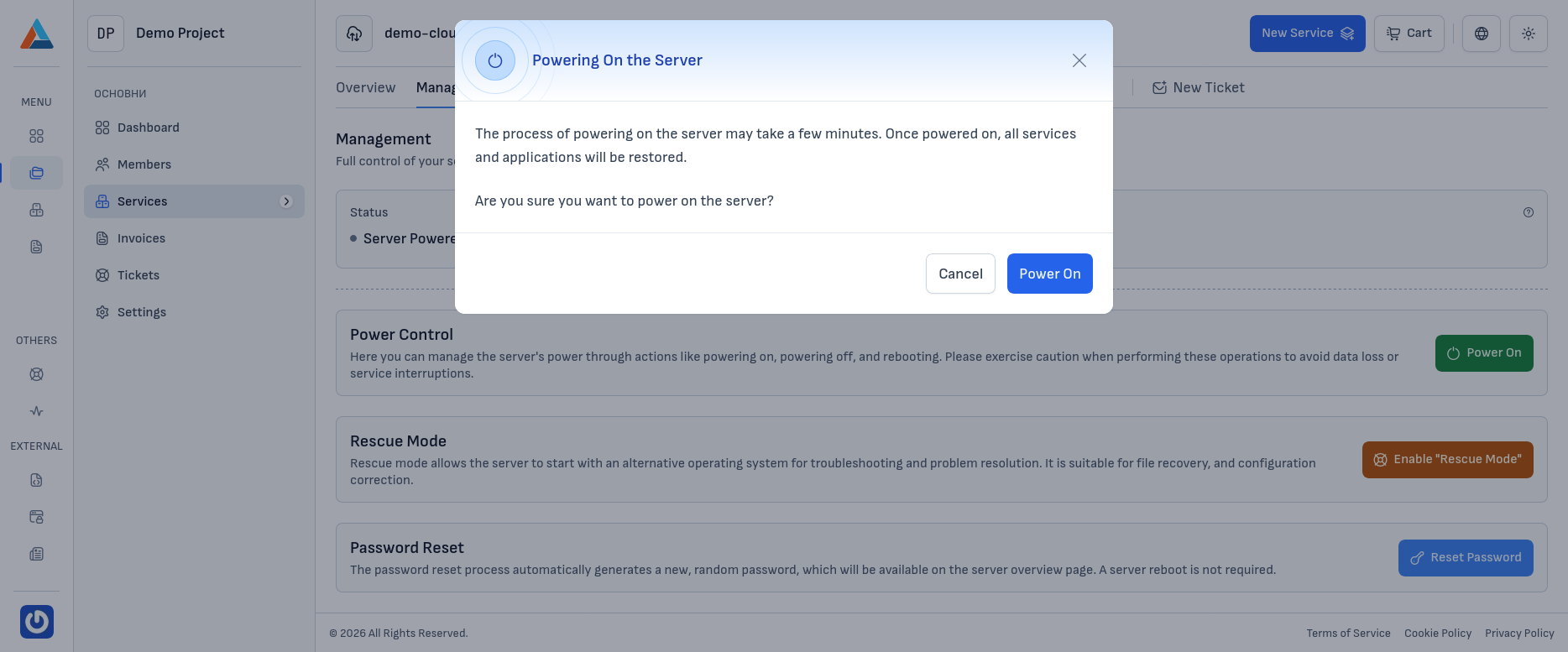
In the "Power Control" section, click the "Power On" button to open the confirmation dialog.
-
Confirm
Click the "Power On" button to confirm the action.
Note
Starting the server may take a few minutes. Once it's successfully started, all services and applications will be restored.
Stopping the Server
When the server is running, you can stop it by following these steps:
-
Navigate to the Section
Go to the "Management" section on the service page.
-
Click the Power Off Button
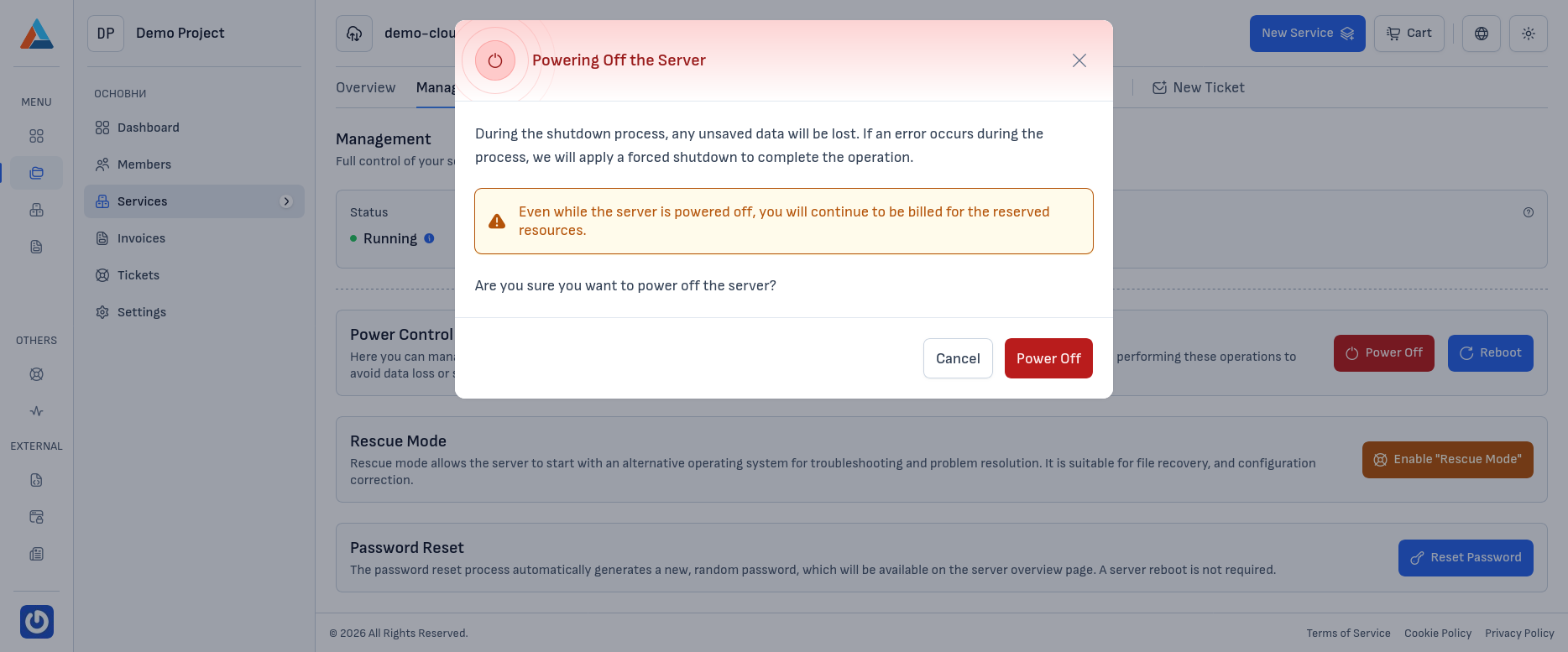
In the "Power Control" section, click the "Power Off" button to open the confirmation dialog.
-
Confirm
Click the "Power Off" button to confirm the action.
Warning
Any unsaved data will be lost during the shutdown process.
Force Rebooting the Server
If the server is unresponsive to normal commands, you can perform a force reboot:
-
Navigate to the Section
Go to the "Management" section on the service page.
-
Click the Reboot Button
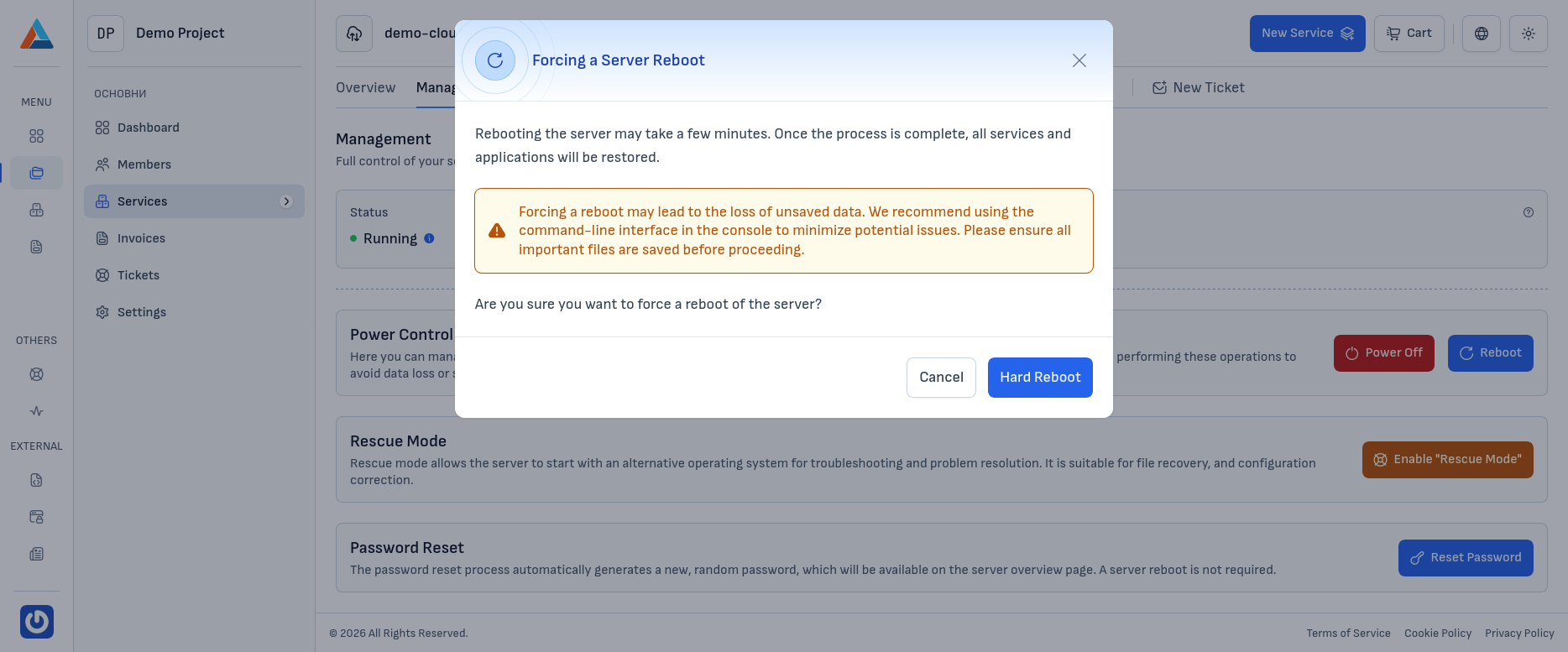
In the "Power Control" section, click the "Reboot" button to open the confirmation dialog.
-
Confirm
Click the "Hard Reboot" button to confirm the action.
Warning
A force reboot may result in the loss of unsaved data. The server process will be restarted, similar to pressing the reset button on a physical machine.