Rescue Mode
Rescue mode is a special environment that allows administrators to boot the server with a temporary operating system when the primary system cannot start normally. This is useful for diagnosing and resolving issues such as corrupted file systems or configuration errors.
The mode is enabled from the "Rescue Mode" section under "Management" on the service page.
Enabling Rescue Mode
-
Navigate to the Section
Go to the "Management" section on the service page.
-
Click the Enable Button
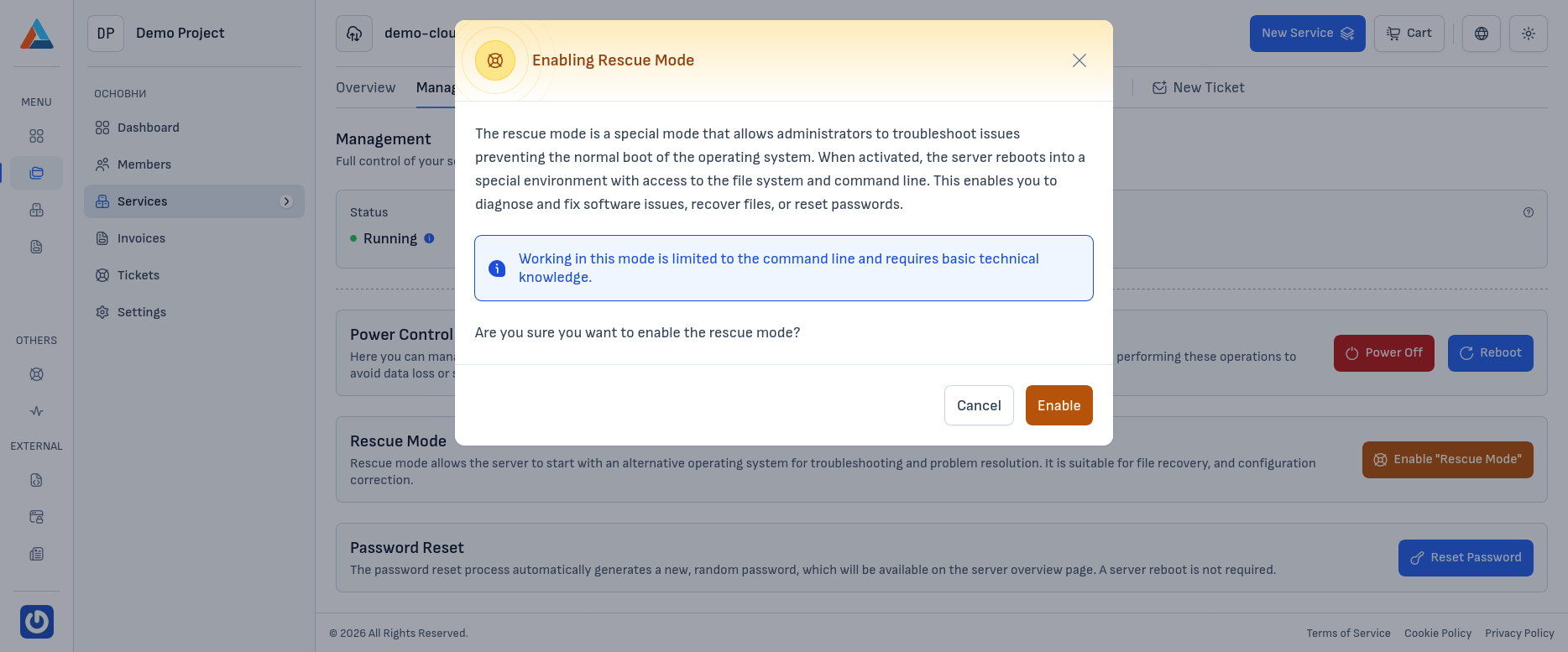
In the "Rescue Mode" section, click the "Enable Rescue Mode" button to open the confirmation dialog.
-
Confirm
Click the "Enable" button to confirm the action.
Note
While in rescue mode, you are given access to the server through a specialized temporary operating system and command line. This allows you to inspect and edit the file system, diagnose problems, and recover important data or a forgotten access password.
Warning
The server will be rebooted to load rescue mode. All currently running processes will be terminated.
Disabling Rescue Mode
-
Navigate to the Section
Go to the "Management" section on the service page.
-
Click the Disable Button
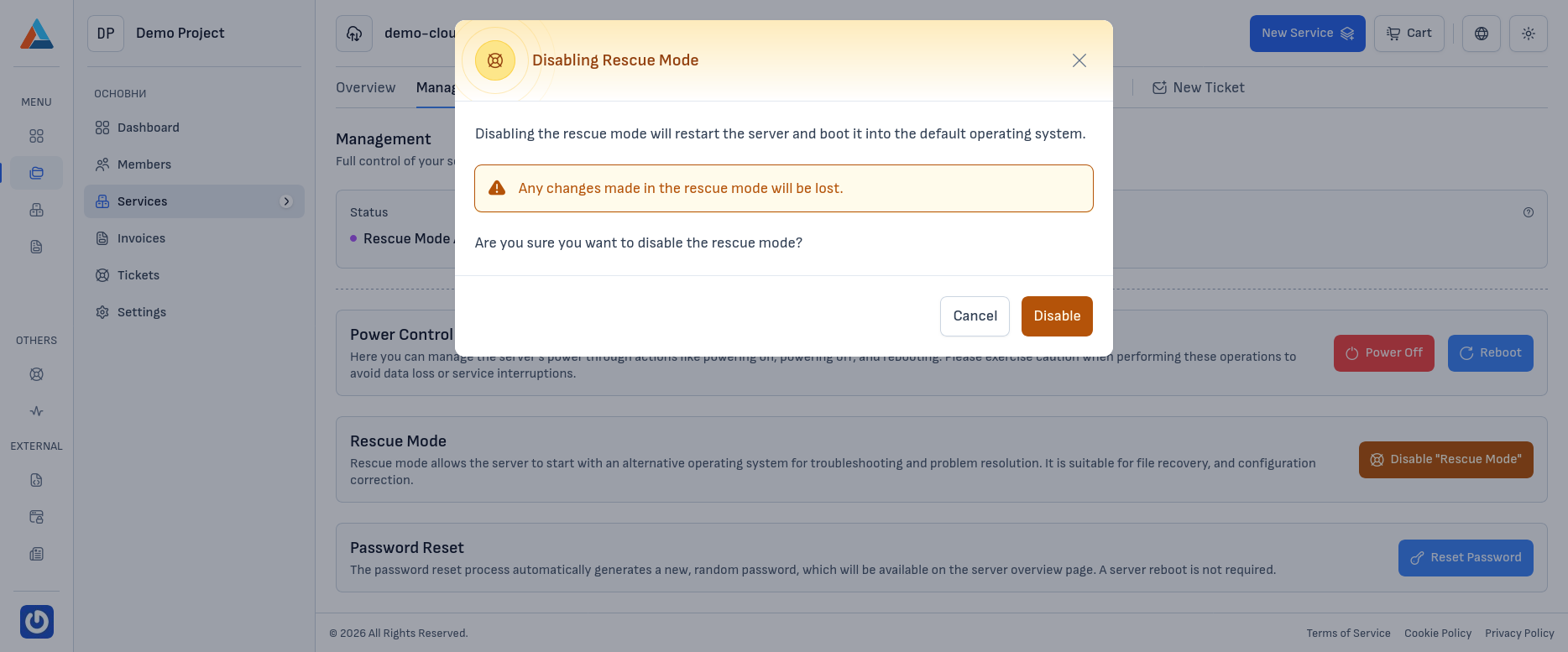
In the "Rescue Mode" section, click the "Disable Rescue Mode" button to open the confirmation dialog.
-
Confirm
Click the "Disable" button to confirm the action.
Note
Disabling rescue mode will reboot the server and load it into the primary operating system.