Introduction to Network Configuration
The "Network Configuration" section on your Cloud VPS server page gives you full control over the network environment. Here you can manage network interfaces, create private networks, and configure security groups with granular traffic rules.
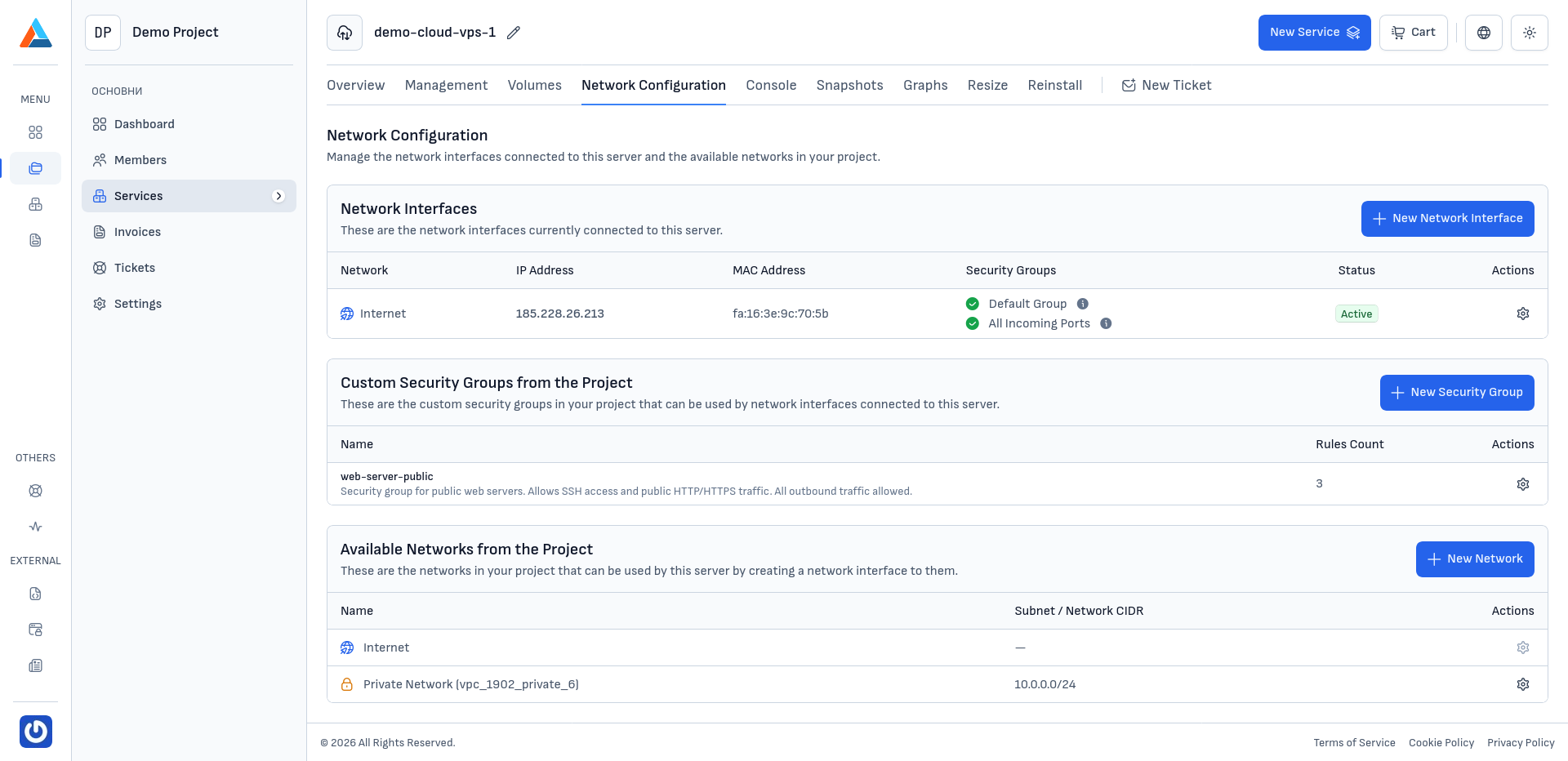
The section is organized into three main parts:
Network Interfaces
This section displays all network interfaces associated with your server. For each interface, you can see:
- Network — the name of the interface
- IP address — the assigned IP address
- MAC address — the physical address of the interface
- Security groups — the applied security groups
- Actions — management options
For detailed instructions, see Managing Network Interfaces.
Custom Security Groups from the Project
This section displays the custom security groups created in your project. Each group can be applied to the network interfaces associated with your server.
For detailed instructions, see Security Groups.
Available Networks from the Project
This section displays the available networks in your project that can be used to create new network interfaces for the server.
For detailed instructions, see Managing Networks.