Managing Networks
Private networks allow you to isolate communication between your servers within a project. Each network has its own address range (CIDR) and can be used by multiple servers by creating network interfaces.
Creating a Network
-
Navigate to the Section
Go to the "Network Configuration" section on the service page.
-
Open the Creation Dialog
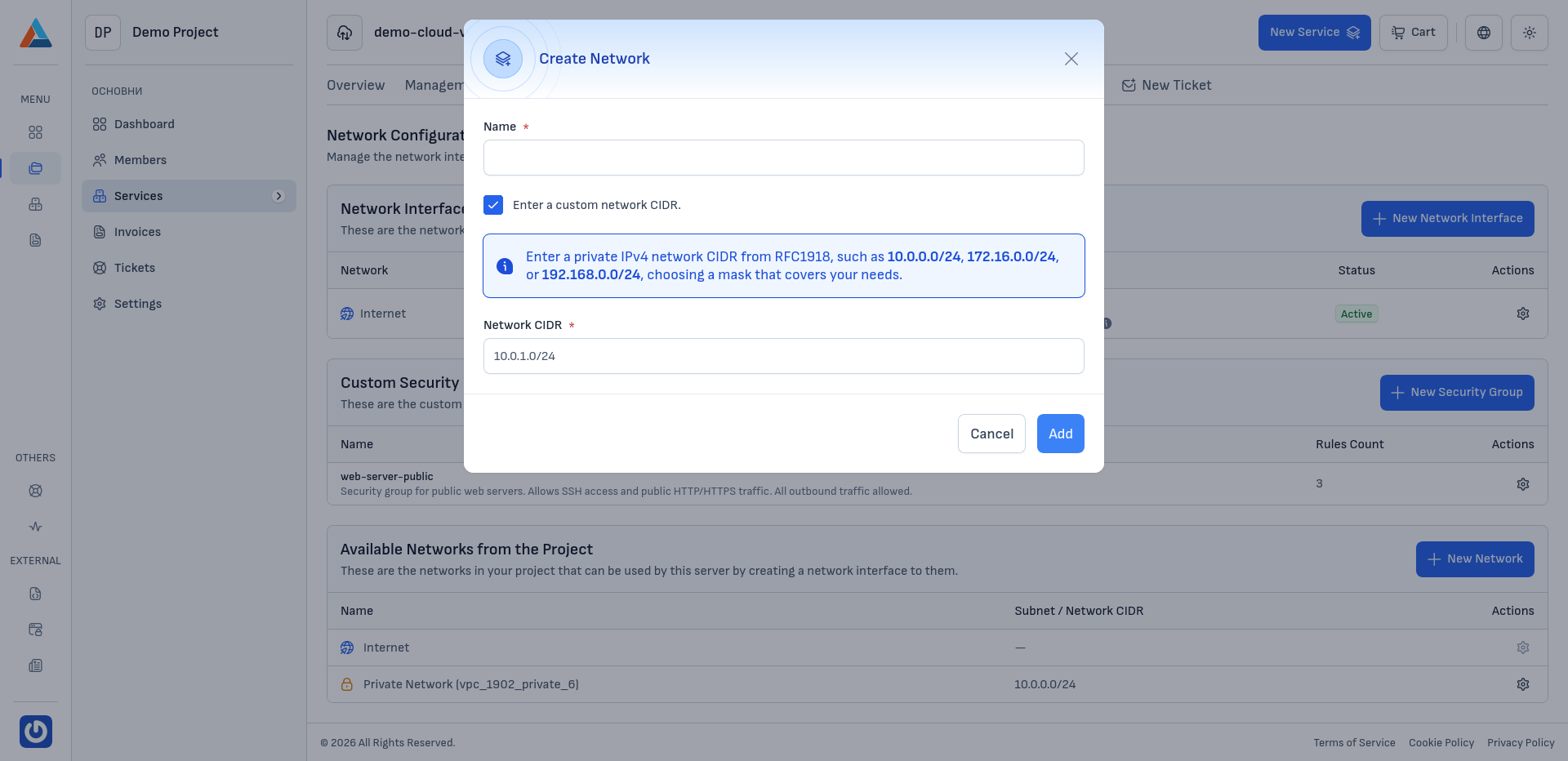
In the "Available Networks from the Project" section, click the "+ New Network" button to open the network creation dialog.
-
Enter the Parameters
-
Name
Enter a name for the network for easier identification.
-
Manually specify network range (CIDR)
Check this option if you want to define the network's address range yourself. Enter a valid IPv4 network range (CIDR) from RFC1918, such as
10.0.0.0/24,172.16.0.0/16, or192.168.0.0/16, with a subnet mask covering the desired number of addresses.Note
If you don't check this option, the system will automatically assign a network range.
-
Network Range (CIDR)
Enter the desired network range if you've chosen manual specification.
-
-
Confirm
Click the "Add" button to create the network.
Deleting a Network
Note
A network that is currently in use by a server (through network interfaces) cannot be deleted. To delete such a network, first remove all interfaces and servers connected to it.
-
Navigate to the Section
Go to the "Network Configuration" section on the service page.
-
Select a Network to Delete
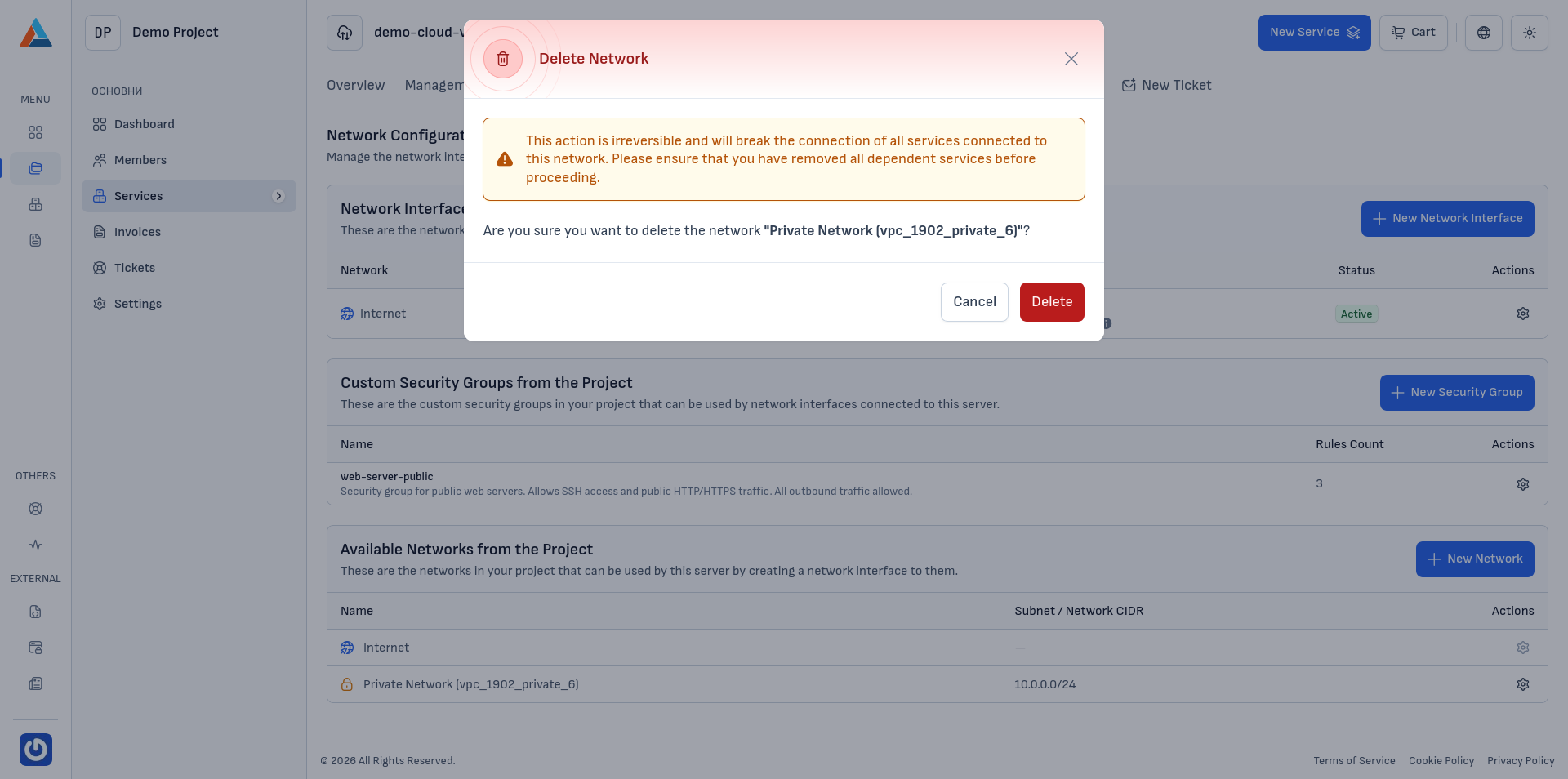
In the "Available Networks from the Project" section, find the network you want to delete and click the delete button in the "Actions" column to open the confirmation dialog.
-
Confirm
Click the "Delete" button to confirm the action.
Warning
This action is irreversible.