Managing Keys
Generating a New Key
To generate a new S3 key, follow these steps:
Opening the Section
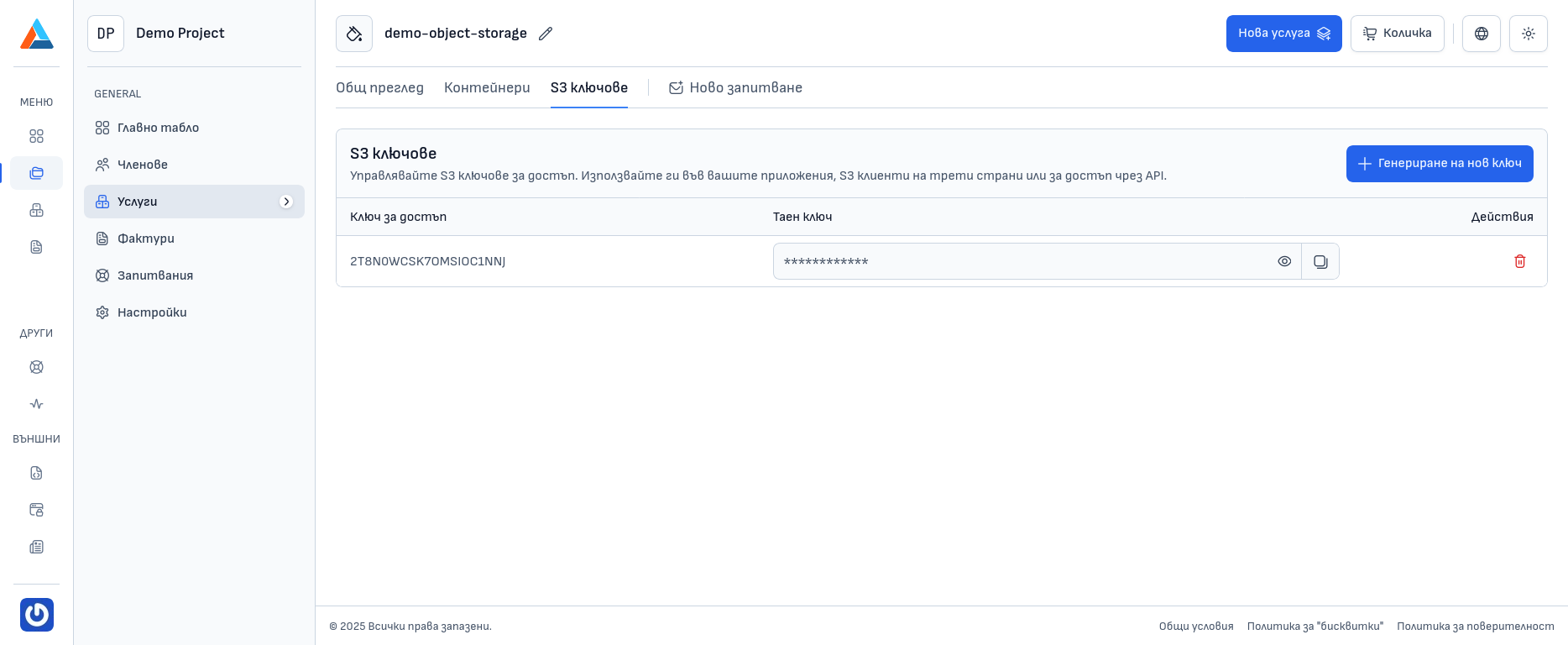
- Navigate to the "S3 Keys" section on the service page
- Click the "+ Generate New Key" button
Viewing the New Key
After clicking the button, a new key pair will be generated and will appear in the key list on the same page.
Using the Key
By default, the Secret Key content is hidden. To view it, click the eye icon located on the key row, in the "Secret Key" column. To copy it, click the copy icon located to the right of the eye icon.
Deleting a Key
To delete an S3 key, follow these steps:
Finding the Key
Find the key in the S3 keys list.
Opening the Actions Menu
Click the icon with three horizontal dots in the "Actions" column to open the menu with action options for the key.
Selecting the Action
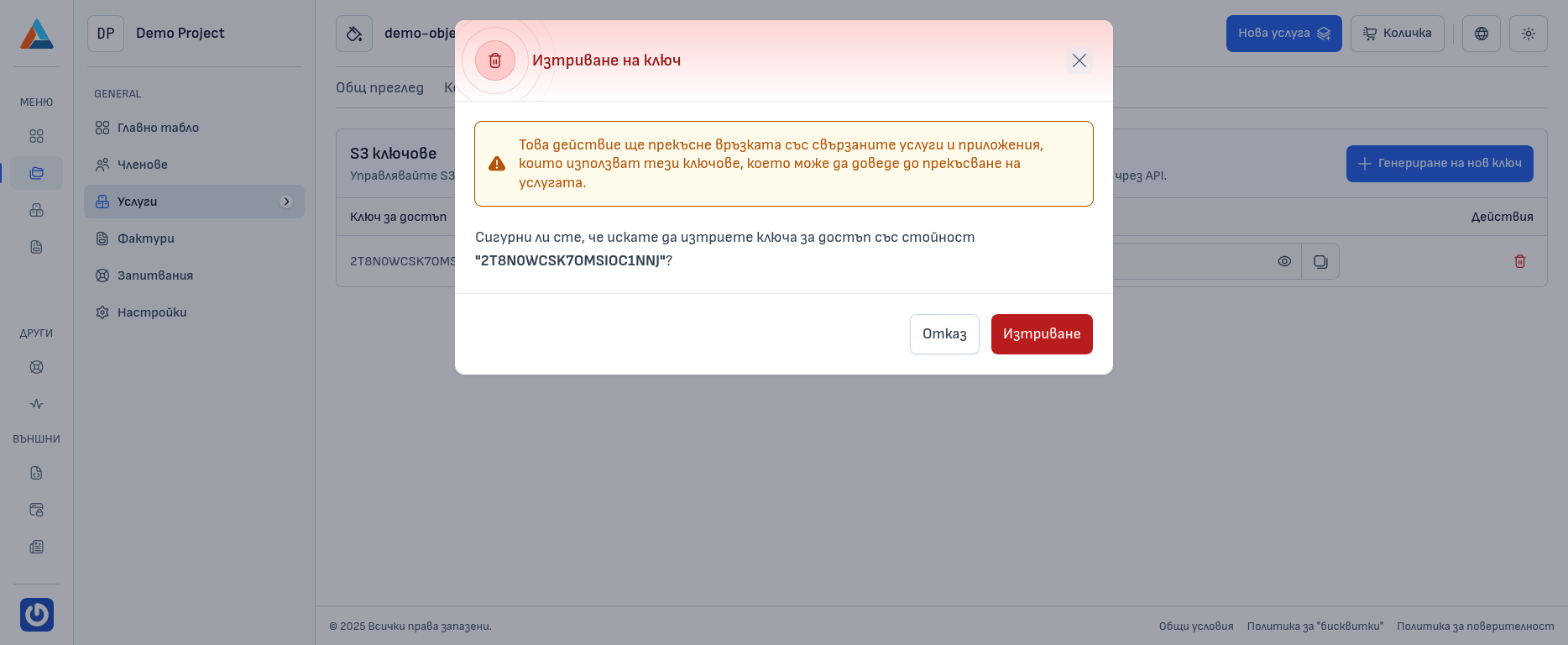
Select the "Delete" option to open a dialog for deleting the key.
Confirmation
Confirm the deletion in the dialog.
Warning
After deleting a key, all applications and scripts that use it will no longer be able to access the objects in the bucket. Make sure that deleting any of the keys will not affect your applications and scripts.