How to Order and Set Up a GTM Server from Delta.BG
In this article, we will walk through step by step how to order and activate the GTM Server Hosting service from Delta.BG.
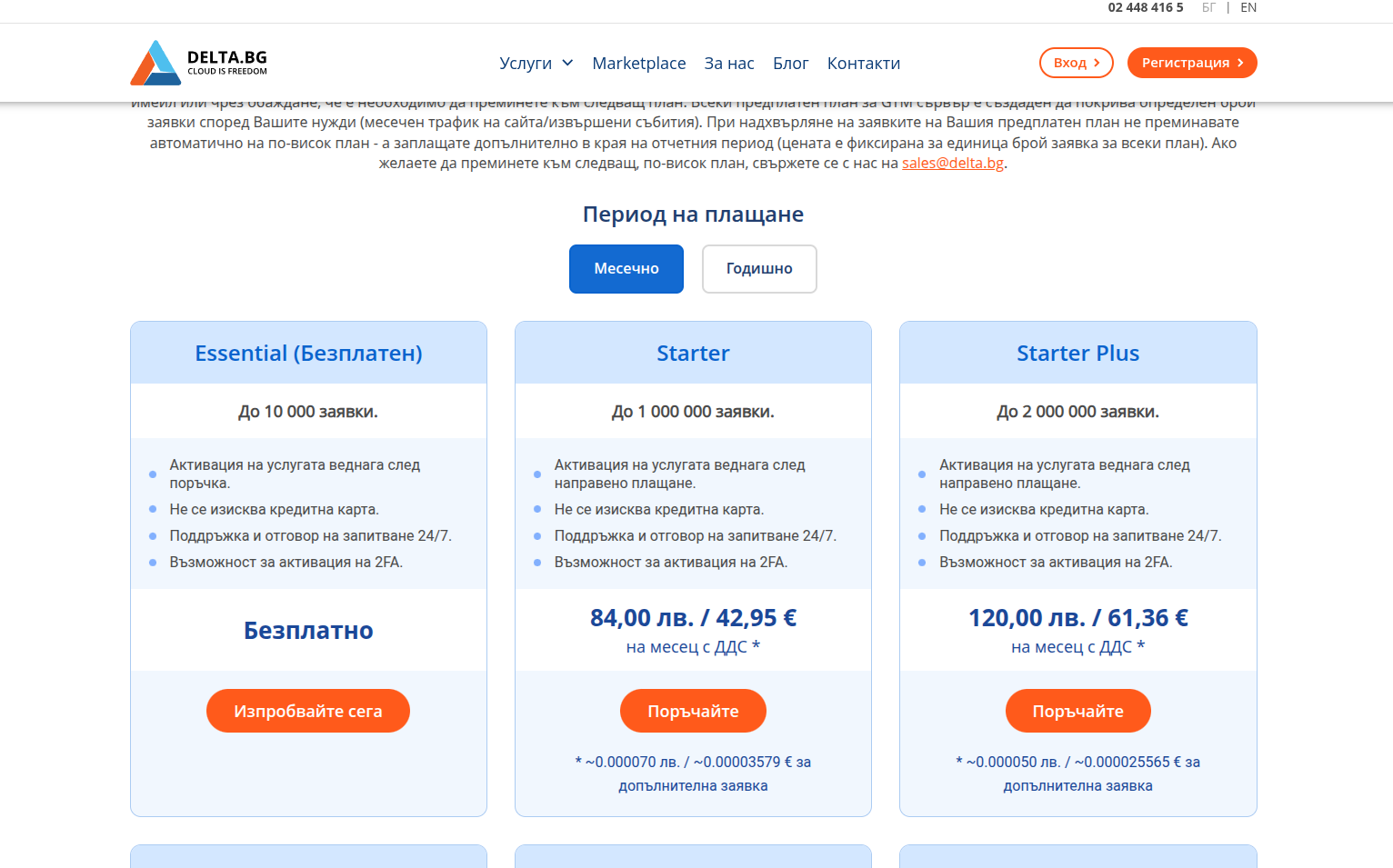
1. Choosing a Plan
After selecting a plan that meets your needs, you can order from the Delta.BG website or directly from the client area.
The free plan is a great choice for testing or for smaller websites, as it does not require a credit card and is activated immediately after ordering.
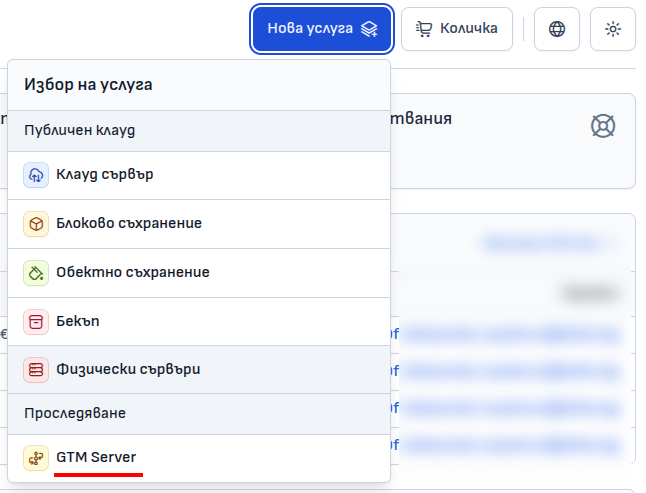
2. Filling in the Service Details
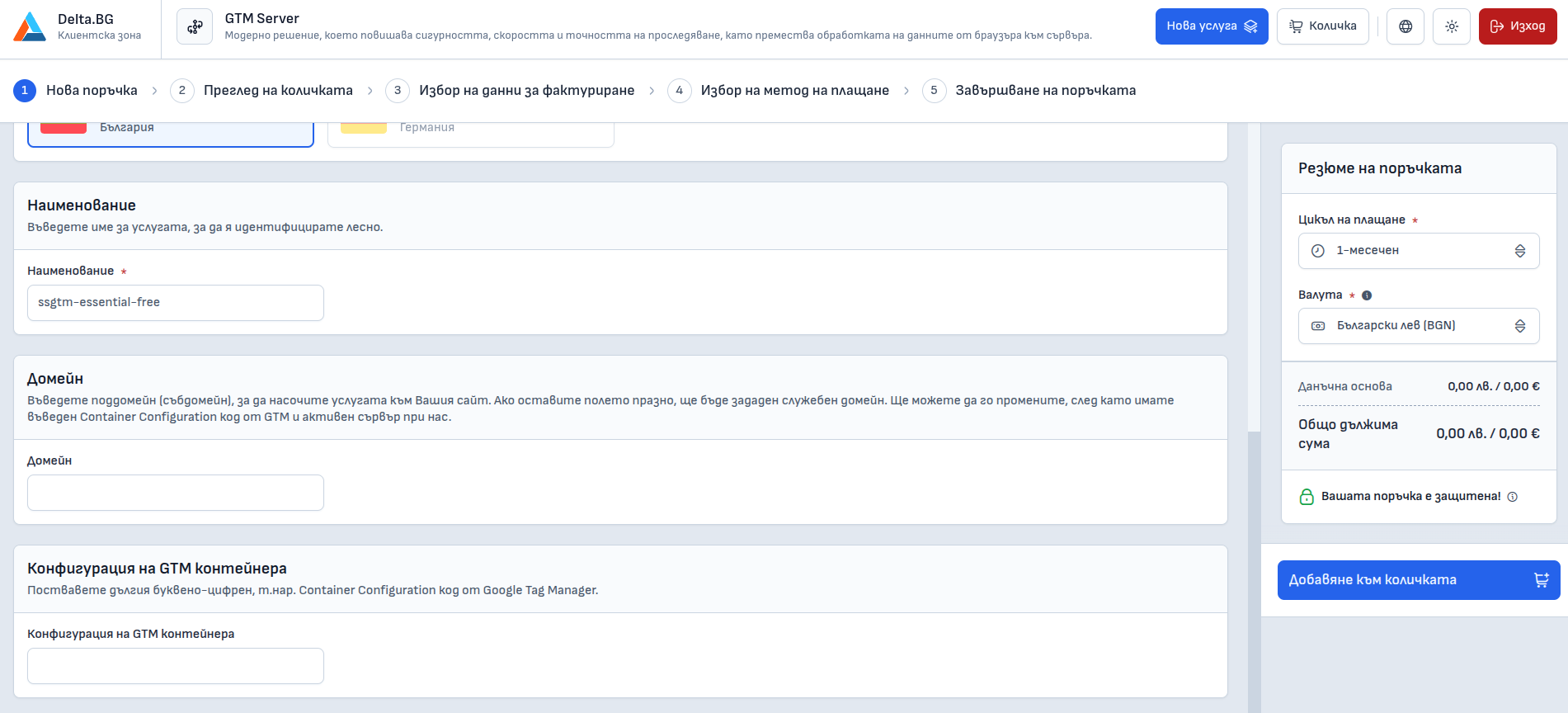
You will be taken to a page where you need to enter:
- Service name — for example
ssgtm-essential-free - Domain (optional) — you can leave it blank if you wish to use a service domain from Delta.BG
- GTM container configuration — can also be filled in later with the configuration code from Google Tag Manager
Then select a currency (for example Bulgarian lev) and click "Add to cart".
3. Order Confirmation
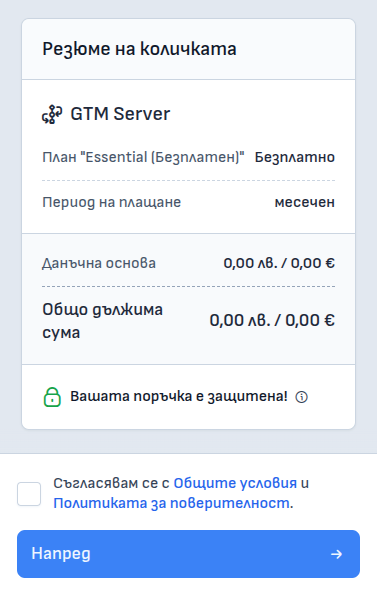
In the cart, you will see a summary of the order. Make sure you have selected the correct plan and click the "Next" button after checking the agreement with the terms and conditions.
4. Completing the Order
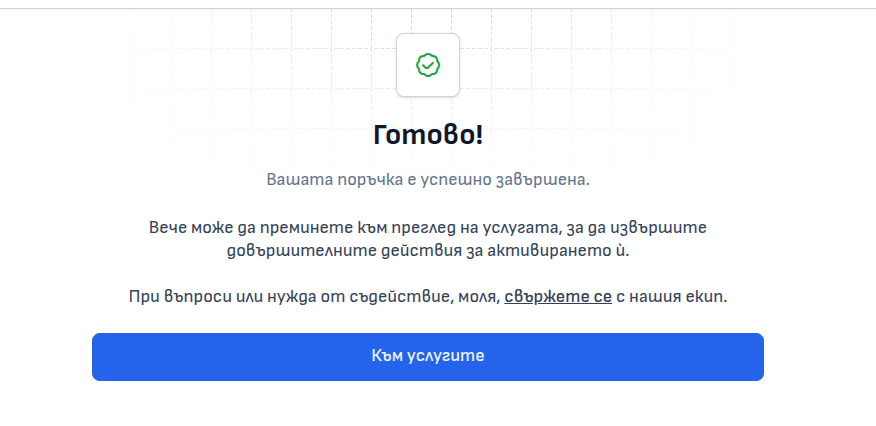
After successful completion, you will see a message:
Done! Your order has been successfully completed.
Click the "Go to services" button and find the newly created service in the list.
5. Configuring the GTM Container
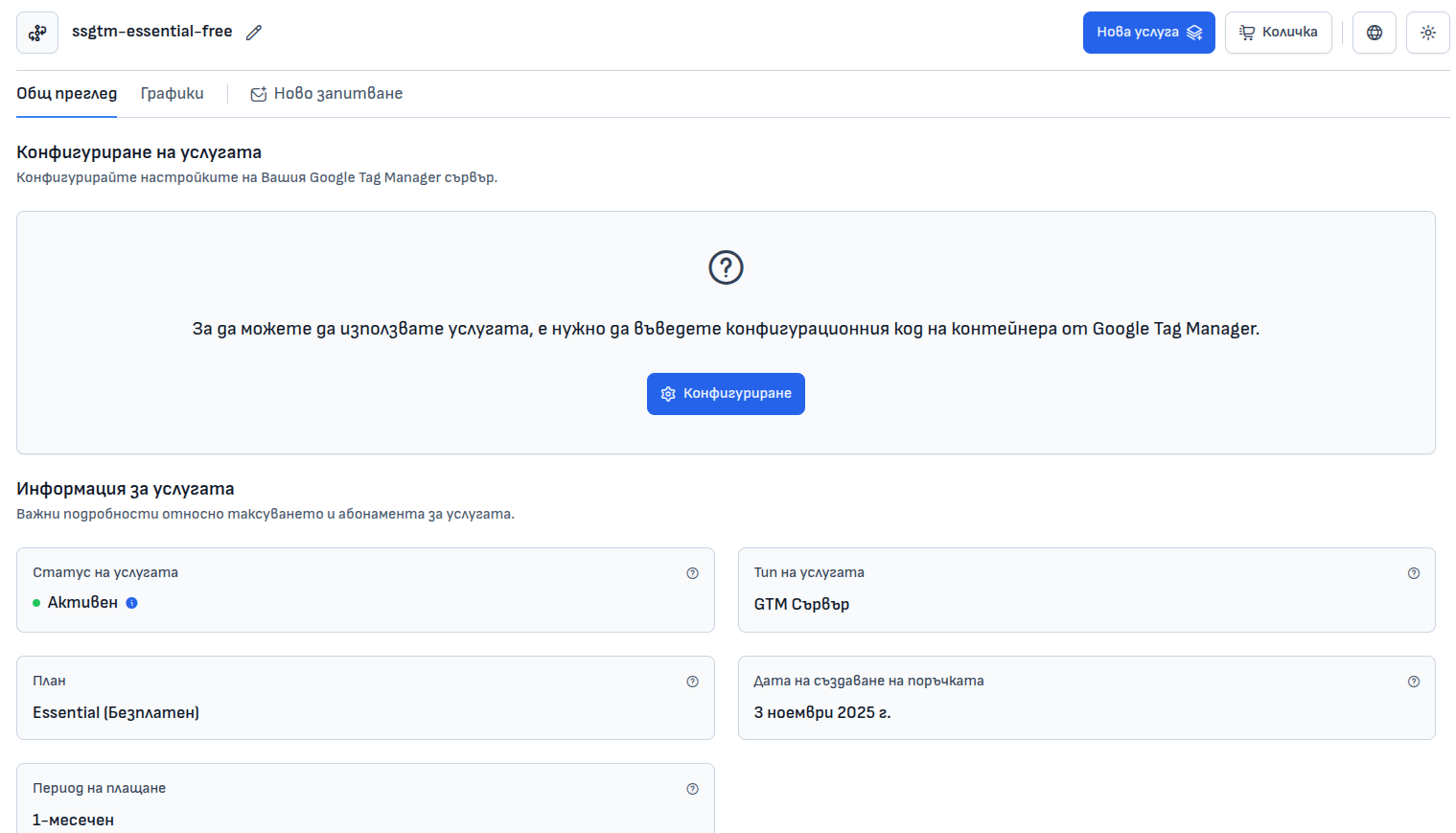
On the page of the newly created service, click the "Configure" button.
A window will open where you need to enter the Container Configuration Code — this is a string in Base64 format ** that is generated in Google Tag Manager**.
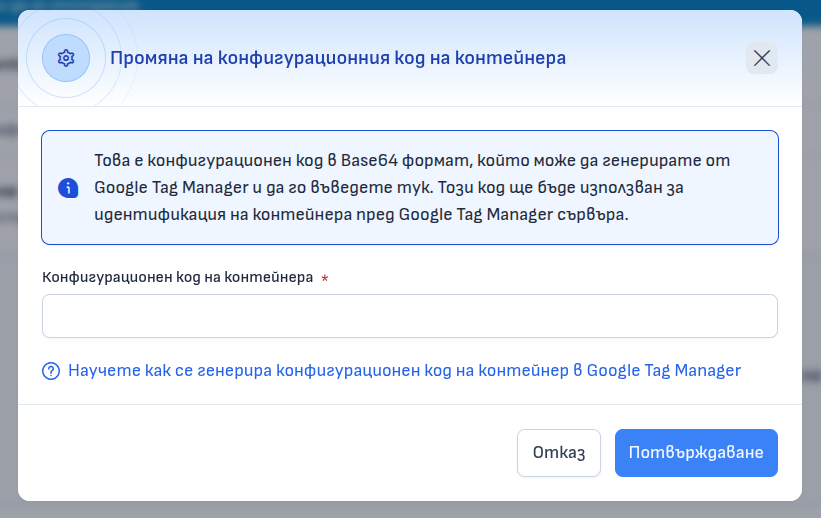
Click "Confirm" to activate the connection between your GTM container and the Delta.BG server.
6. Finalizing the Setup
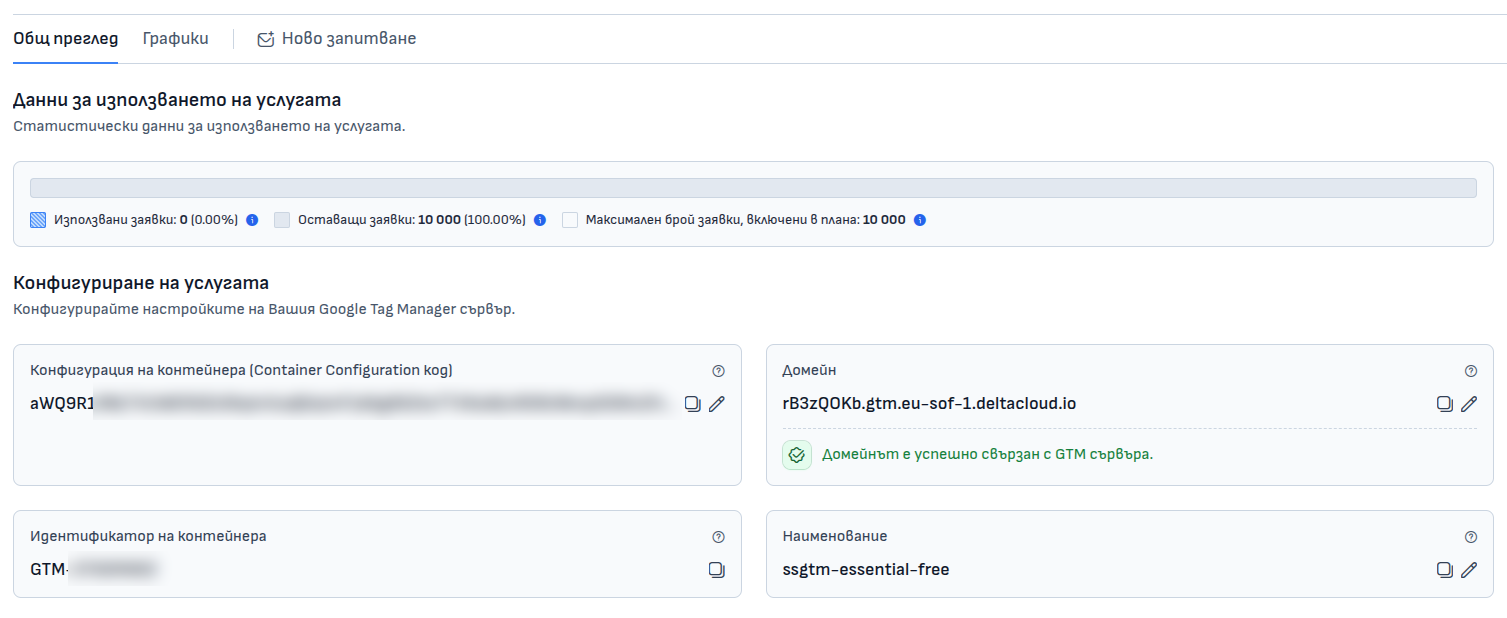
After entering the code, the service will be fully activated. In the panel, you will see information about:
- Requests used
- Container configuration code
- GTM server domain (e.g.,
xxxxxxxx.gtm.eu-sof-1.deltacloud.io) - Container ID (e.g.,
GTM-XXXXXXXX)
Conclusion
With Delta.BG, setting up a GTM Server is easy, fast, and accessible even for beginners. The free Essential plan allows you to experiment and implement server-side tracking without risk or cost. After successful integration, you will be able to manage tags directly through Google Tag Manager and optimize data collection in a secure and efficient way.