Introduction to Protected Items
A protected item is a configured backup source on a registered device. It defines what data to back up (files, databases, system state, etc.), when to run the backup (schedule), and how long to keep the backup data (retention policy). Each protected item operates independently with its own settings.
In the protected items list, you can see information about each item: its name, the device it belongs to, the backup type, the last backup attempt and last successful backup timestamps, and the total size of the backed-up data. This information helps you quickly assess the health of your backup configuration.
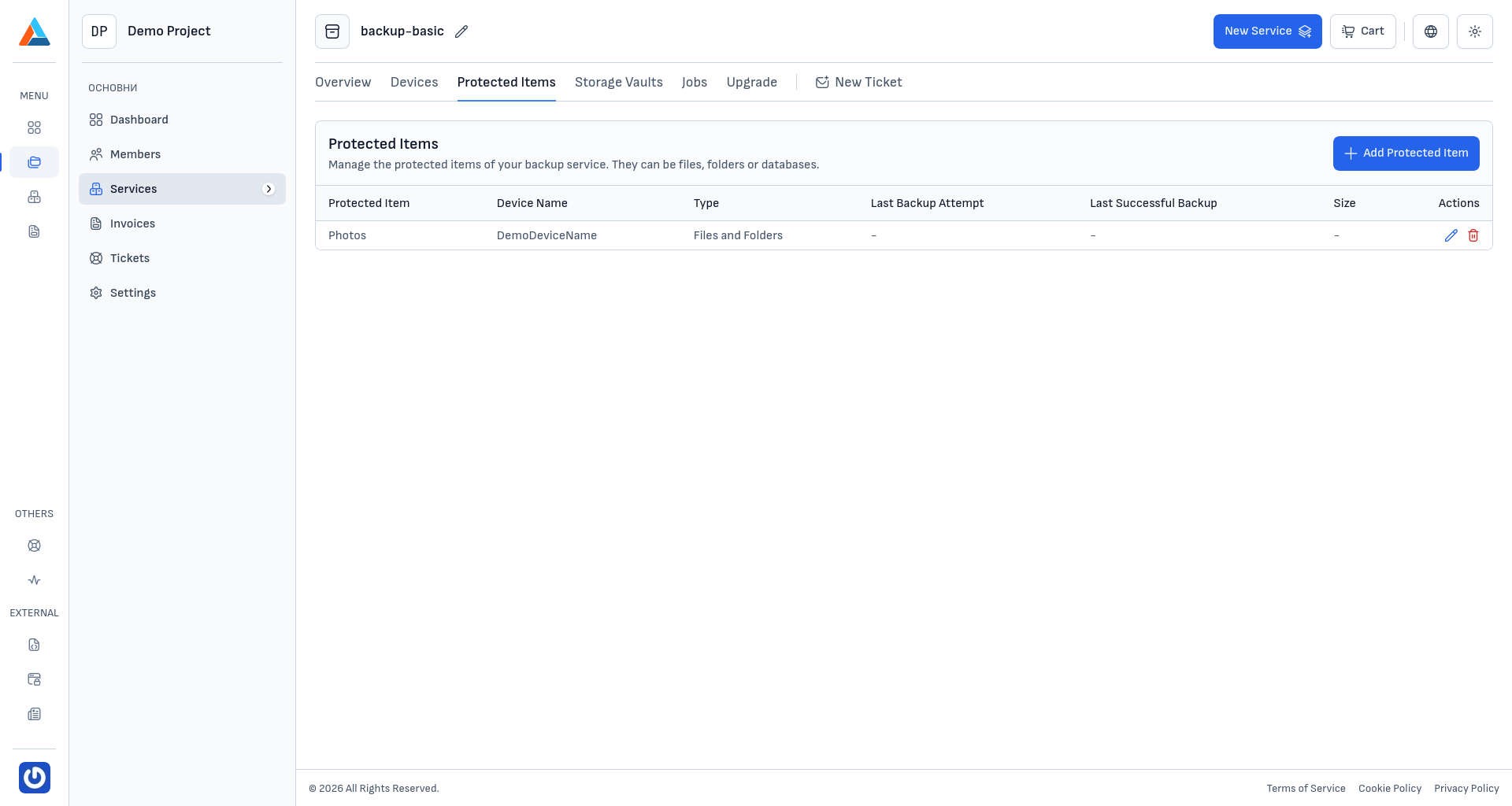
Available Actions
The section offers the following actions for managing your protected items:
- Create Protected Item — configure a new backup source on one of your registered devices
- Edit — modify the configuration of an existing protected item
- Delete — remove a protected item from your backup service
Editing a Protected Item
To edit a protected item, click the edit icon in the "Actions" column next to the item you want to modify. This opens the same configuration wizard used during creation, with all fields pre-filled with the current settings. You can change the backup source, execution commands, schedule, or retention policy as needed.
Deleting a Protected Item
To delete a protected item, follow these steps:
Open the Delete Dialog
Click the delete icon in the "Actions" column next to the item you want to remove.
Confirm the Deletion
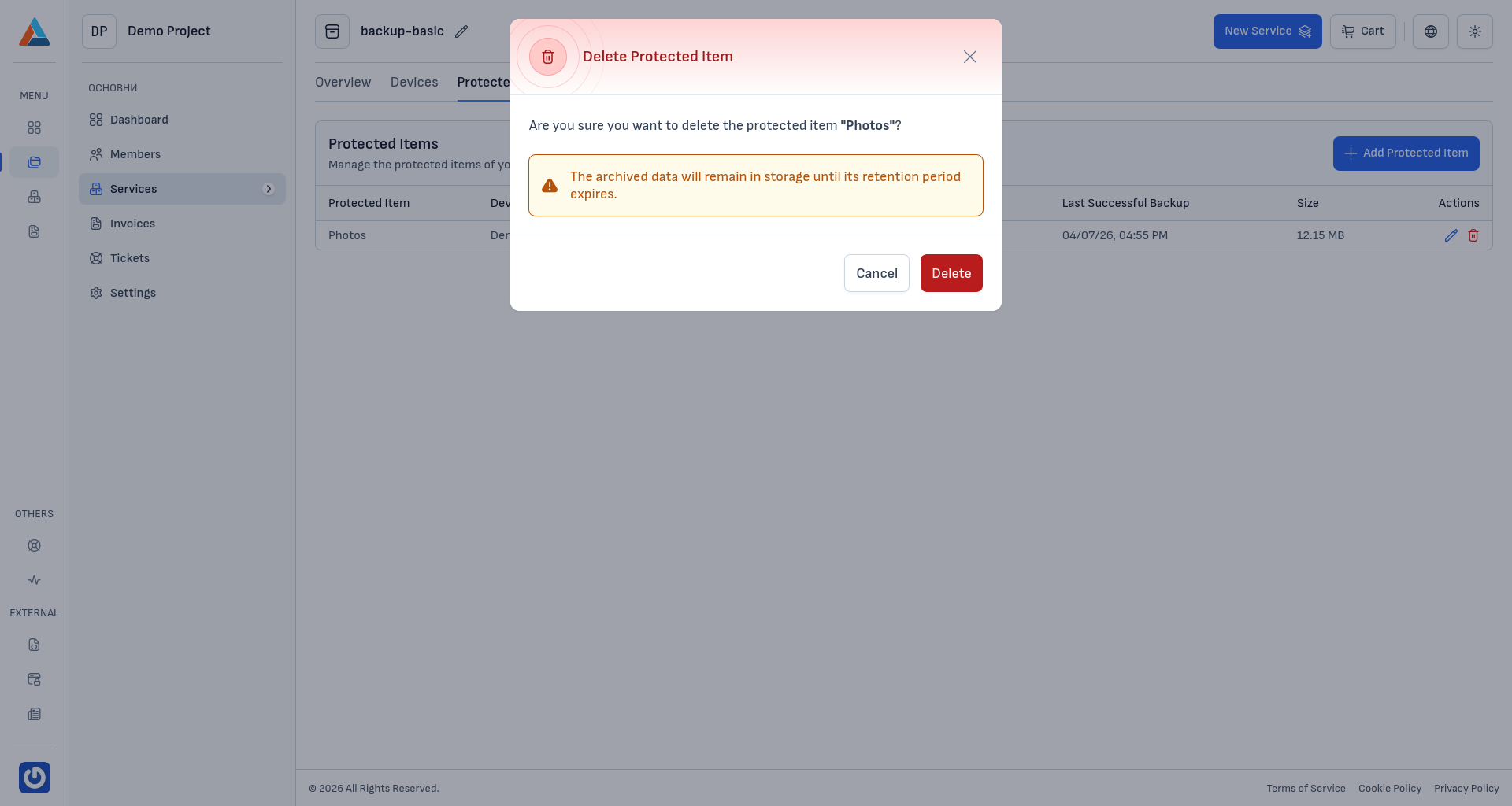
Review the confirmation dialog and click "Delete" to proceed, or "Cancel" to go back.
Caution
The archived data will remain in storage until its retention period expires. Deleting a protected item only stops future backups — it does not immediately remove existing backup data.