Settings
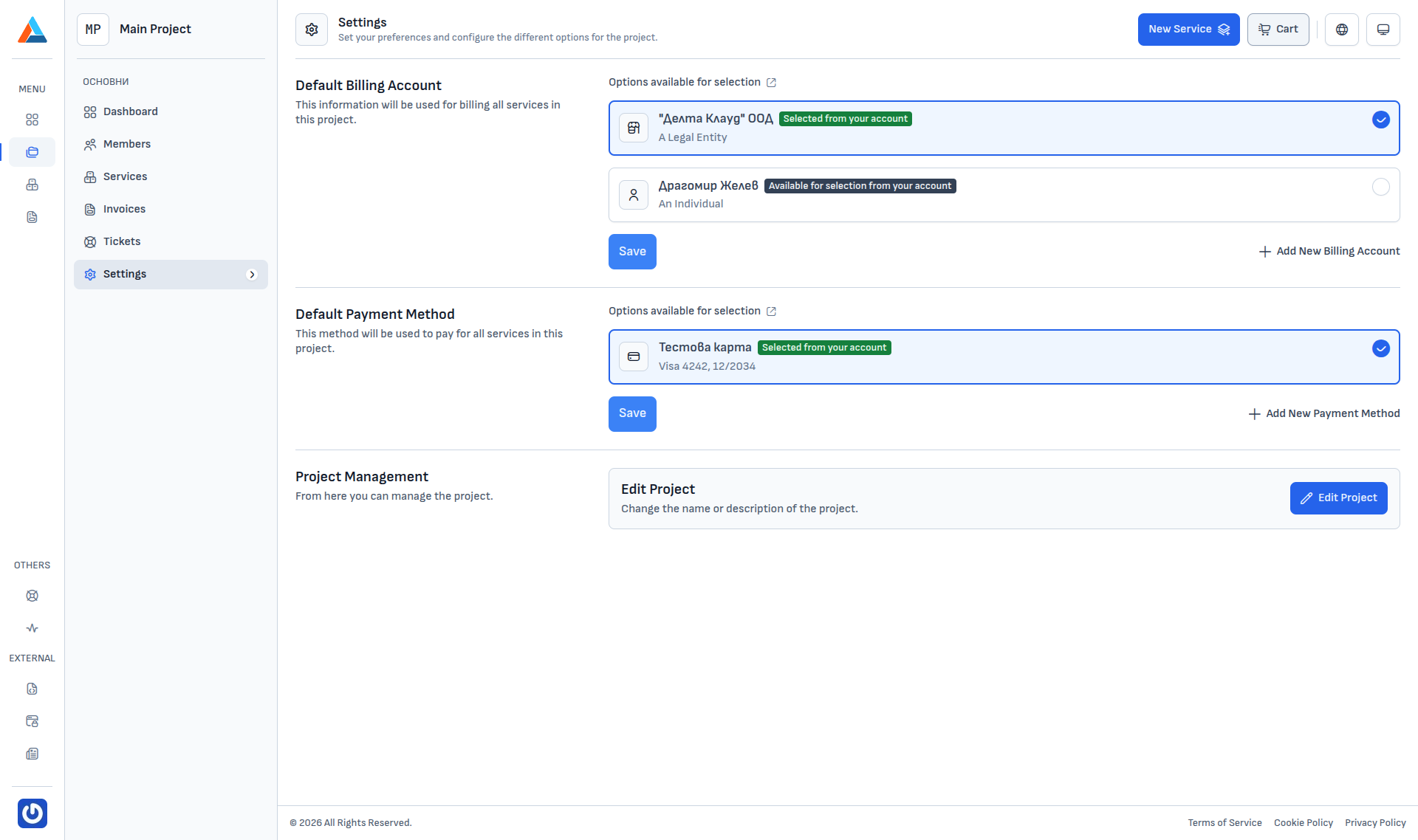
The Settings section (Project → Settings) manages the project's financial defaults and allows renaming.
Info
The section is only available to the Team Owner and Team Admin roles. Team Member and Developer do not see it in the menu.
Default billing account
The selected billing account is the one invoices for services in this project are issued against. The list contains every billing record attached to your account; one record is marked as selected and saved with the Save button.
If you have not added any billing accounts yet, you can add one directly from here via "+ Add New Billing Account" — it opens the same dialog as Settings → Billing Accounts.
Warning
Ordering services in the project requires a default billing account to be set.
Default payment method
The selected payment method is what auto-charges the invoices. If you have not saved any methods, you can add one from here — it opens the same dialog as Settings → Payment Methods.
Setting a default payment method is optional. Without it, you will have to pick a method again on each new order.
Project Management
The Edit Project button opens a form with two fields — the project name and description. Only Team Owner and Team Admin can edit; the change takes effect immediately.
Info
Transferring ownership or deleting a project is not available from this interface — for such changes, contact Support.