Reinstall
The "Reinstall" section allows you to change the operating system or image on your server. Reinstalling is useful when you want to switch to a different operating system, install a ready-made application, or return the server to its initial state.
Warning
Reinstalling will erase all data on the server's main volume — including the operating system, applications, and configurations. Make sure you have created a snapshot or backup of your important data before proceeding.
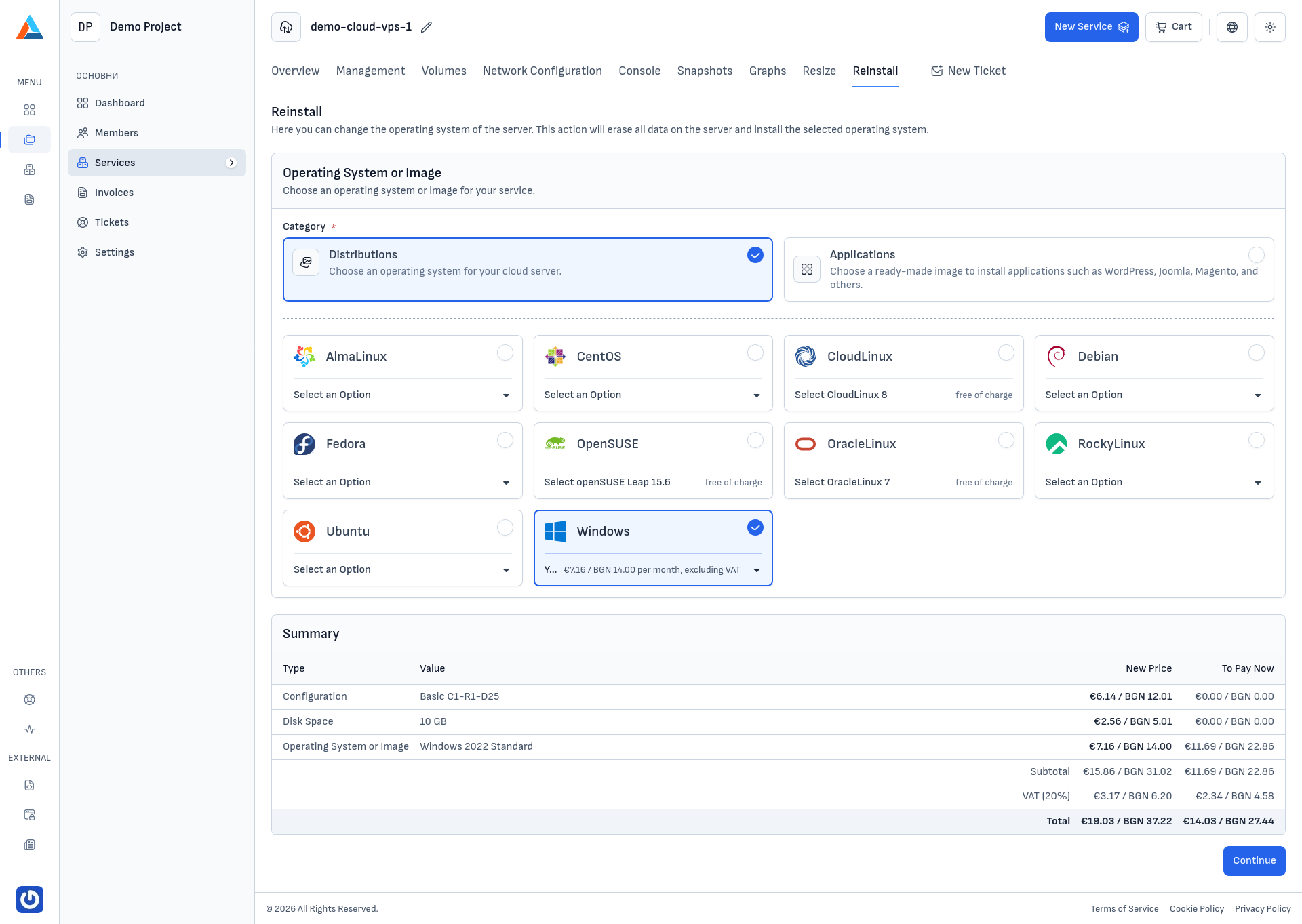
Operating System or Image
In the "Operating System or Image" section, you choose what to install on the server. The available options are organized into two categories:
Distributions
Clean operating system installations. Available distributions include:
- AlmaLinux, CentOS, CloudLinux, Debian, Fedora, OpenSUSE, OracleLinux, RockyLinux, Ubuntu — Linux distributions included in the service price
- Windows — Windows Server distributions with an additional monthly license fee
For each distribution, select a specific version from the dropdown menu.
Applications
Ready-made images with pre-installed applications such as WordPress, Joomla, Magento, and others. Applications are available at no extra cost and include the necessary software for a quick start.
Reinstalling the Server
-
Navigate to the Section
Navigate to the "Reinstall" tab on the service page.
-
Select an Operating System or Application
Select the category ("Distributions" or "Applications"), then choose the desired operating system and the specific version from the dropdown menu.
-
Review the Summary
In the "Summary" section, review your selection and the new price. Click the "Continue" button to proceed.
Note
If the selected operating system includes an additional license fee (e.g., Windows), it will be reflected in the summary.
-
Confirm
In the confirmation dialog, you will see:
- To Pay Now — the prorated amount for the remaining period of the current billing cycle
- Every Next Invoice — the new monthly price
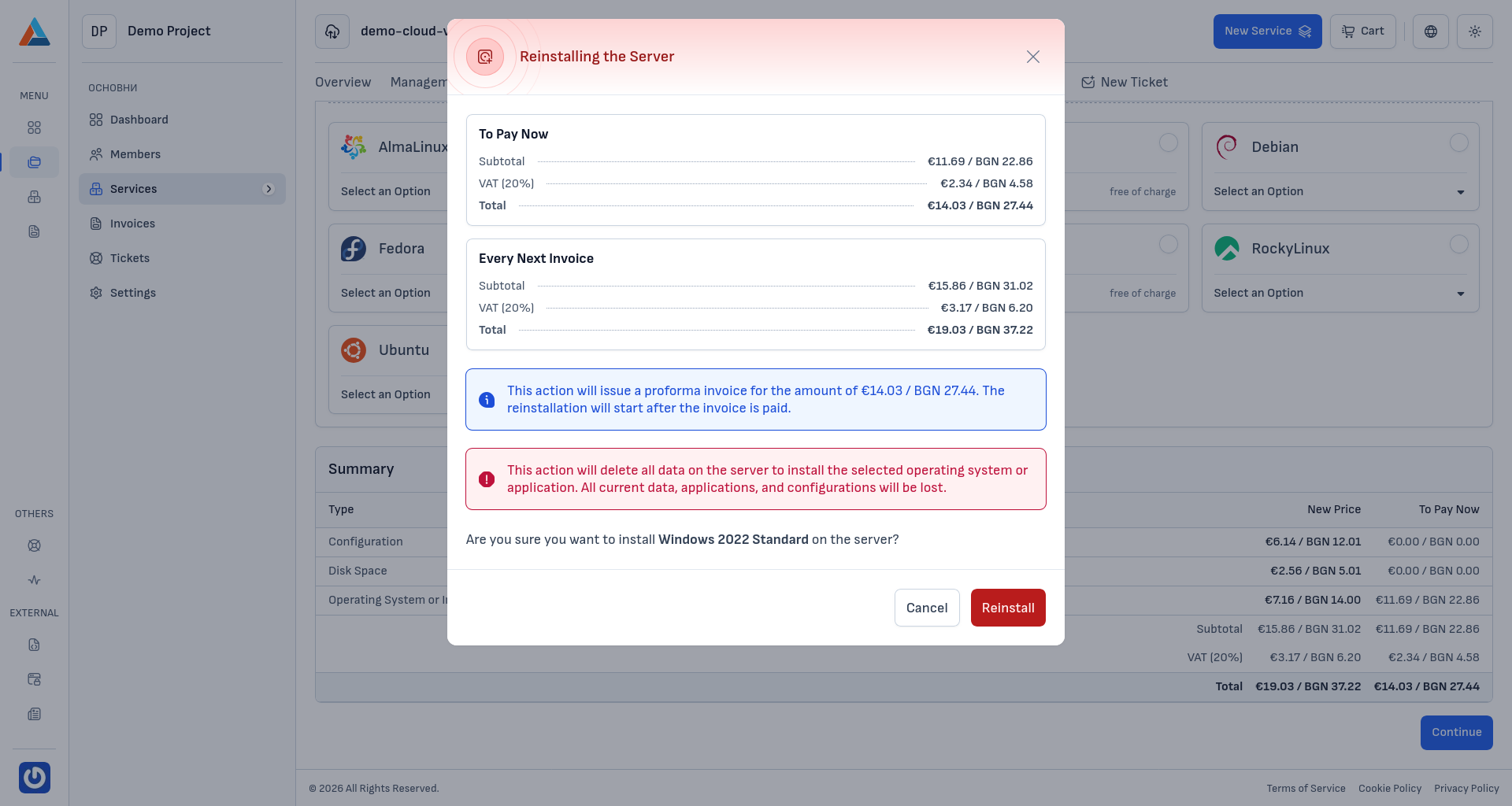
Click the "Reinstall" button to generate a proforma invoice and start the process.
Warning
This action will delete all data on the server's main volume to install the selected operating system or application. All current data, applications, and configurations will be permanently lost. The reinstallation will start after the invoice is paid.