Adding a Windows Device
This guide covers the platform-specific steps for registering a Windows device. Before you begin, make sure you have completed the initial steps from the Adding a Device guide and selected Windows as the platform.
Installation Steps
Download the Software
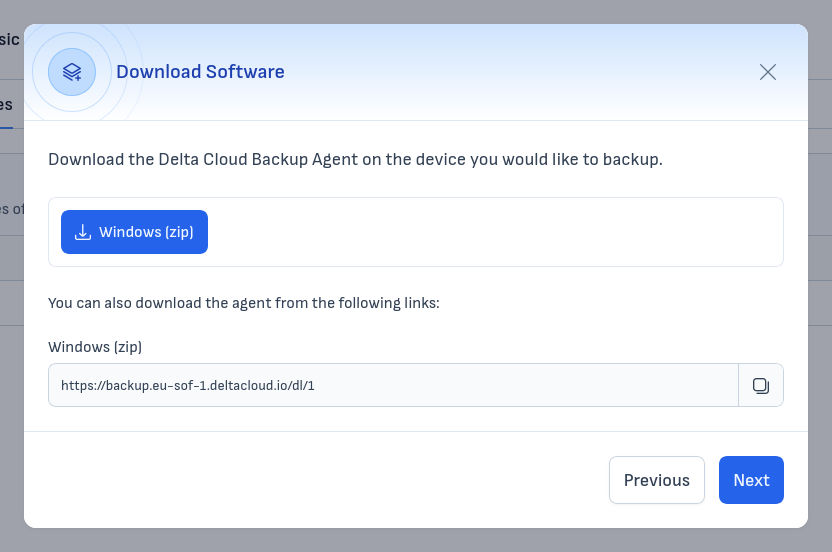
Click the "Windows (zip)" button to download the installer archive. Alternatively, copy the download link provided below the button.
Install the Software
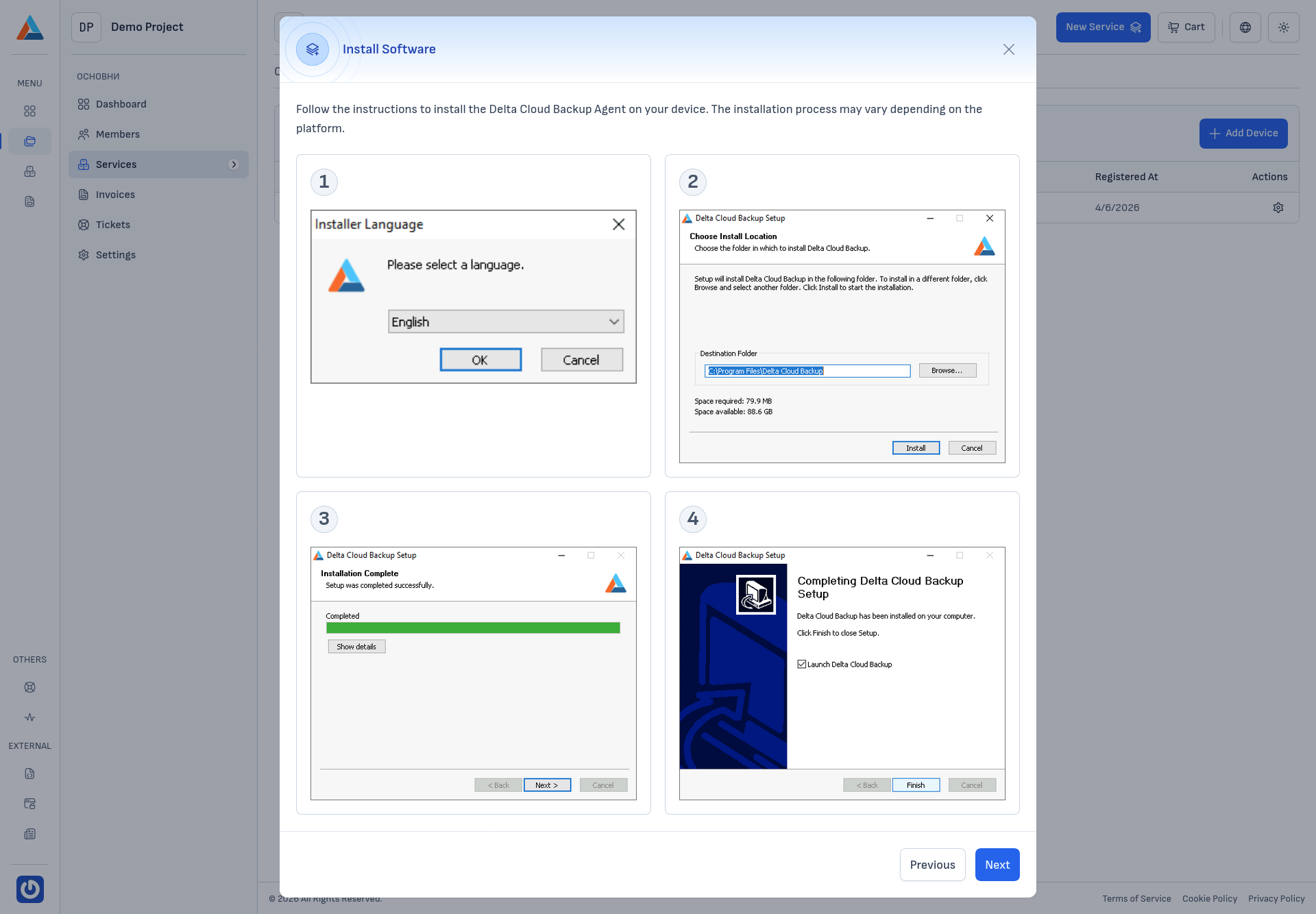
Extract the downloaded archive and run the installer. Follow the installation wizard:
- Select the installation language.
- Choose the installation directory.
- Wait for the installation to complete.
- Click "Finish" to close the installer.
Configure the Software
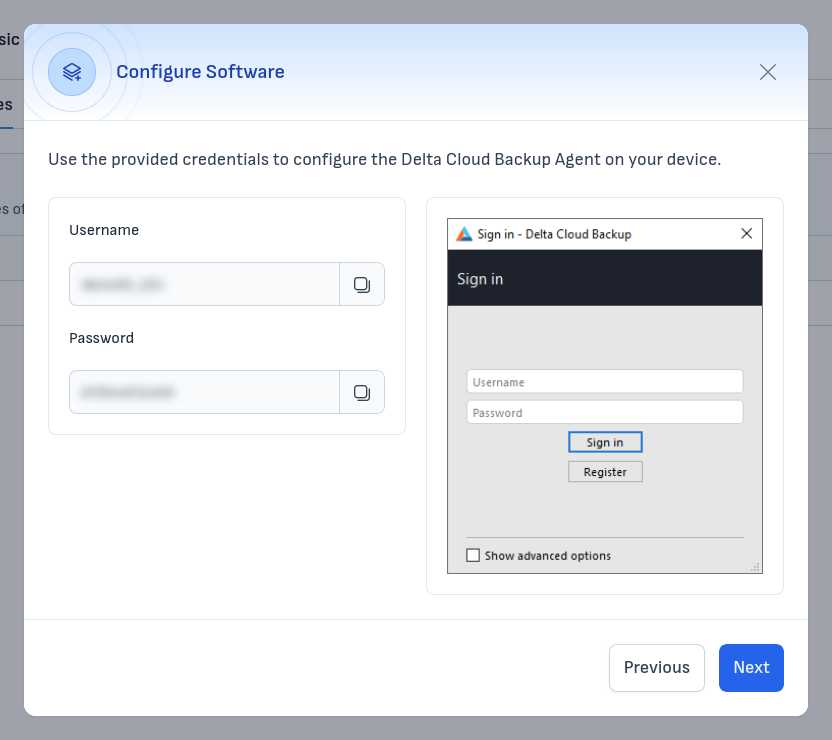
After installation, the Delta Cloud Backup Agent will open a Sign in window. Enter the Username and Password displayed on the left side of the wizard and click "Sign in".
Once the agent connects successfully, return to the wizard in the client area and proceed to the Completion step.