Rescue Mode
Rescue mode is a special environment that allows administrators to boot the server with an alternative operating system when the primary system cannot start normally. This is useful for diagnosing and resolving issues such as corrupted file systems, driver problems, configuration errors, or recovering a forgotten password.
The mode is enabled from the "Rescue Mode" section under "Management" on the service page.
Tip
On Bare Metal servers, rescue mode is particularly valuable because it saves you the need for physical intervention or KVM-over-IP access. You can diagnose and resolve issues entirely remotely.
Enabling Rescue Mode
-
Navigate to the Section
Go to the "Management" section on the service page.
-
Click the Enable Button
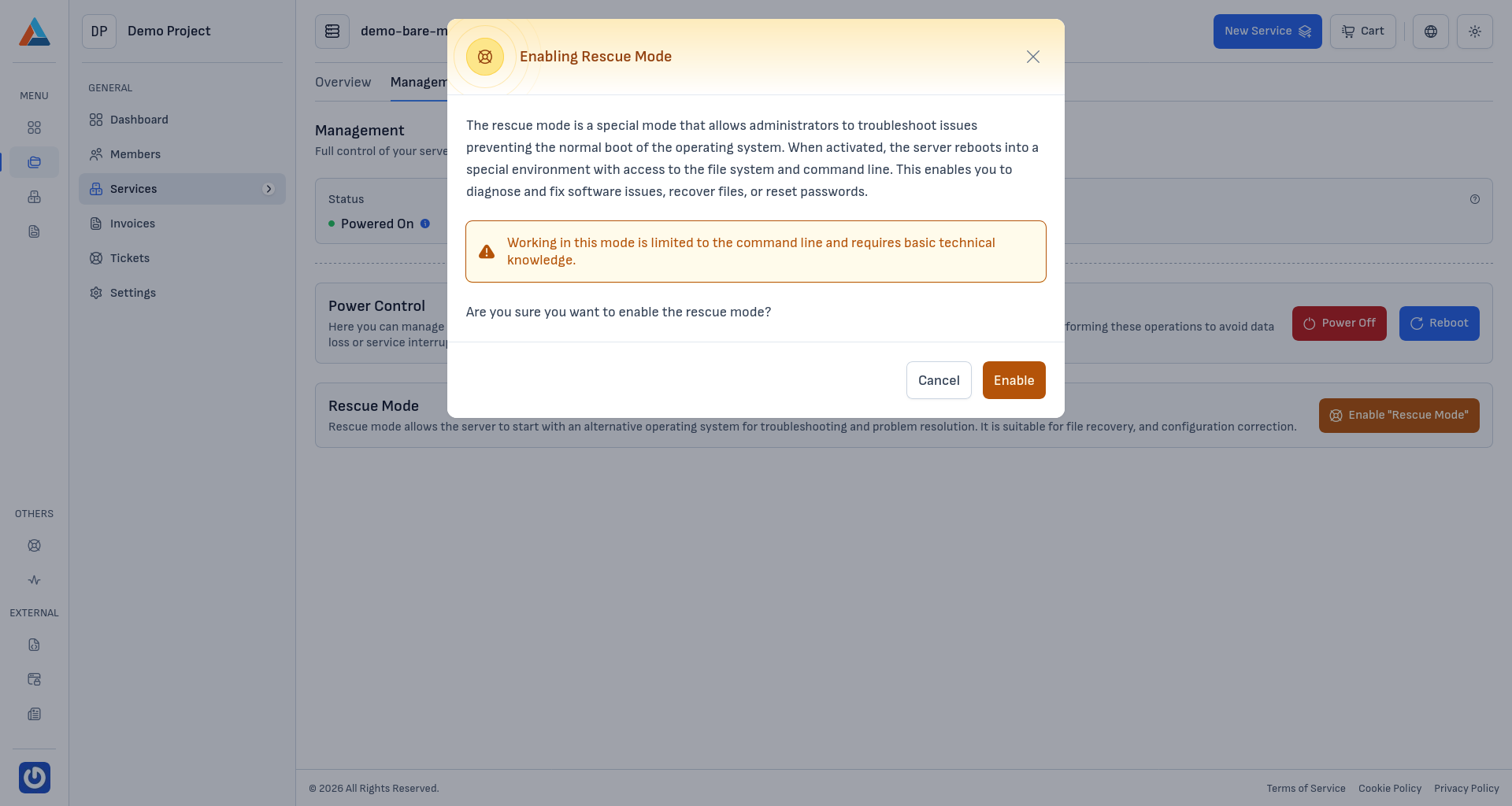
In the "Rescue Mode" section, click the "Enable Rescue Mode" button to open the confirmation dialog.
-
Confirm
Click the "Enable" button to confirm the action.
Note
While in rescue mode, you are given access to the server through a specialized temporary operating system and command line. This allows you to inspect and edit the file system, diagnose problems, recover important data, or a forgotten access password.
Warning
The server will be rebooted to load rescue mode. All currently running processes will be terminated. Working in rescue mode requires basic knowledge of the Linux command line.
Accessing the Server in Rescue Mode
After enabling rescue mode:
- The server will reboot and load the temporary operating system
- You can access the server via SSH on the original IP address using the new credentials for rescue mode
- If SSH is not available, use the built-in web console to access the command line
- The server's disks will be available as unmounted block devices — you can mount them manually to inspect or recover files
Typical Tasks in Rescue Mode
- File system recovery — use tools like
fsck,xfs_repairto repair corrupted file systems - Recovering a forgotten root password — mount the system disk and edit
/etc/shadow, or usechrootto change the password - Backing up important files — copy critical data to an external location before reinstalling
- Correcting configuration files — edit incorrect settings (fstab, network configuration) that prevent the primary system from starting
- Analyzing logs — review
/var/logto identify the cause of the issue
Warning
We recommend disabling rescue mode immediately after finishing your work, so the server returns to normal operation. Disabling is typically done by rebooting the server after the diagnostic work is complete.