Introduction to Management
The "Overview" section on your Server-Side GTM service page provides the essential tools for configuration and service information. Here you can view usage data, configure the container and domain, and check your subscription details.
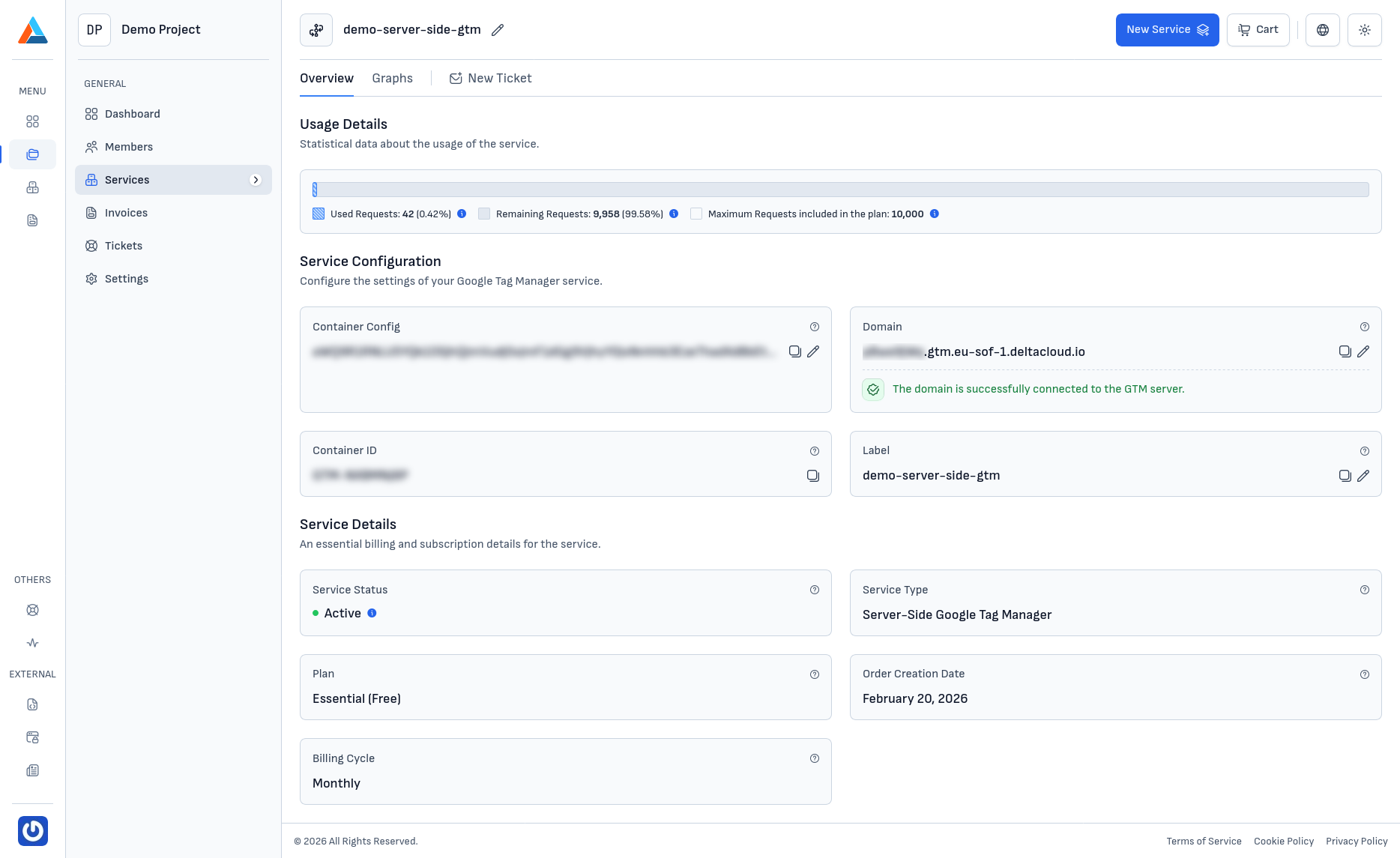
Usage Details
At the top of the page, usage statistics for requests are displayed:
- Used Requests -- the number of used requests and their percentage of the total limit
- Remaining Requests -- the number of remaining requests until the plan limit is reached
- Maximum Requests -- the total number of requests included in the current plan
Service Configuration
In the "Service Configuration" section, you can manage the core settings:
- Container Config -- Base64 code that connects the GTM Server with your container in Google Tag Manager
- Domain -- the domain or subdomain through which the service is accessed
- Container ID -- the unique identifier of your GTM container (e.g.,
GTM-XXXXXXXX) - Label -- the name of the service, which can be changed at any time
Service Details
At the bottom of the page, a summary of the subscription information is displayed:
- Status -- the current state of the service (Active, Inactive, etc.)
- Service Type -- Server-Side Google Tag Manager
- Plan -- the current plan and its tier (e.g., Essential (Free))
- Order Creation Date -- the date the service order was created
- Billing Cycle -- the billing period (e.g., Monthly)