Payouts
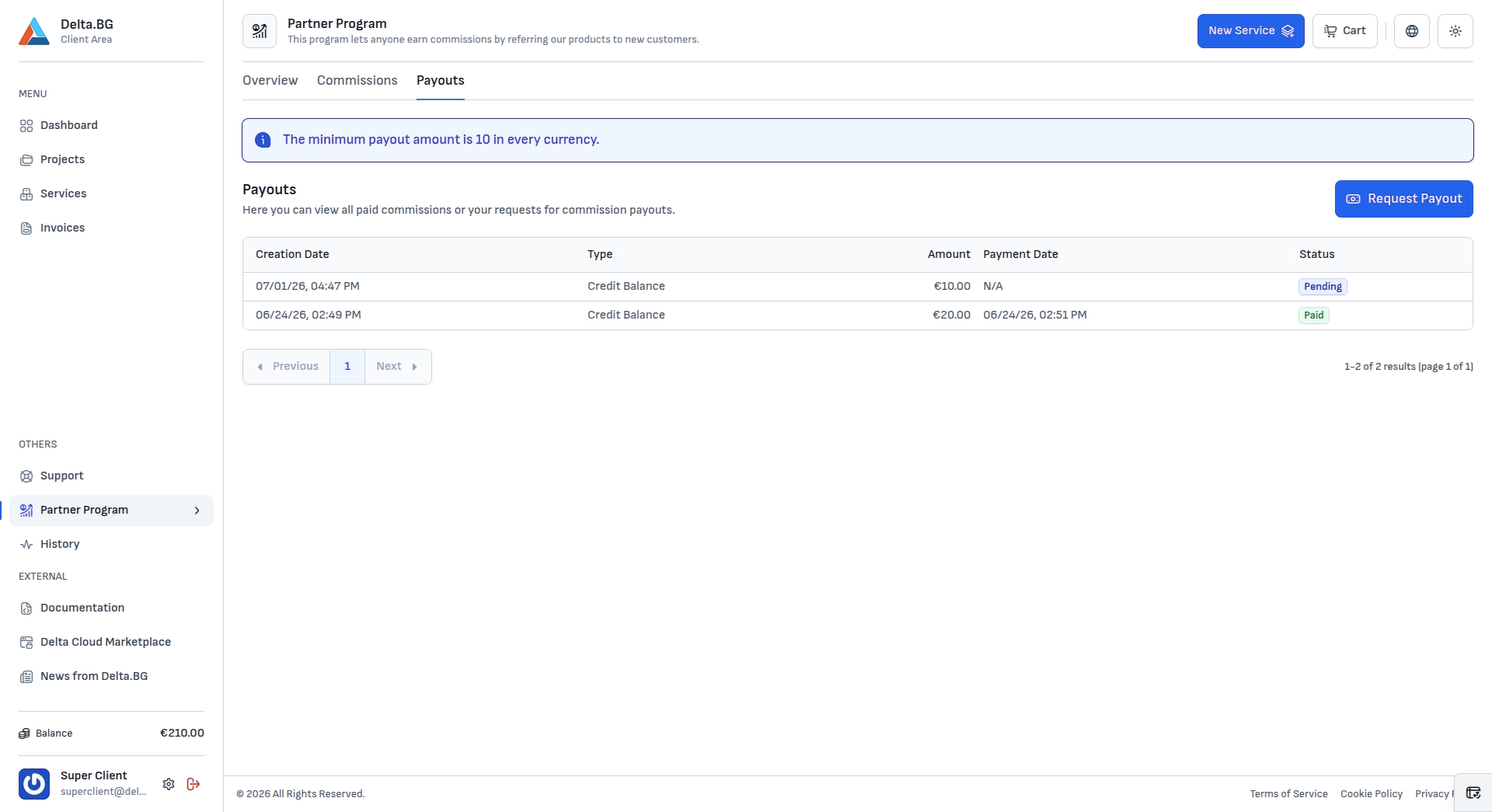
The Payouts tab shows your paid commissions and your payout requests — "Here you can view all paid commissions or your requests for commission payouts."
Info
The minimum payout amount is 10 in every currency.
Table columns
| Column | Description |
|---|---|
| Creation Date | When the payout request was made. |
| Type | The payout method — for example Credit Balance. |
| Amount | The requested amount, in its currency. |
| Payment Date | When the payout was paid (N/A while it is pending). |
| Status | Pending or Paid. |
Requesting a payout
The "Request Payout" button opens the Request a Commission Payout dialog.
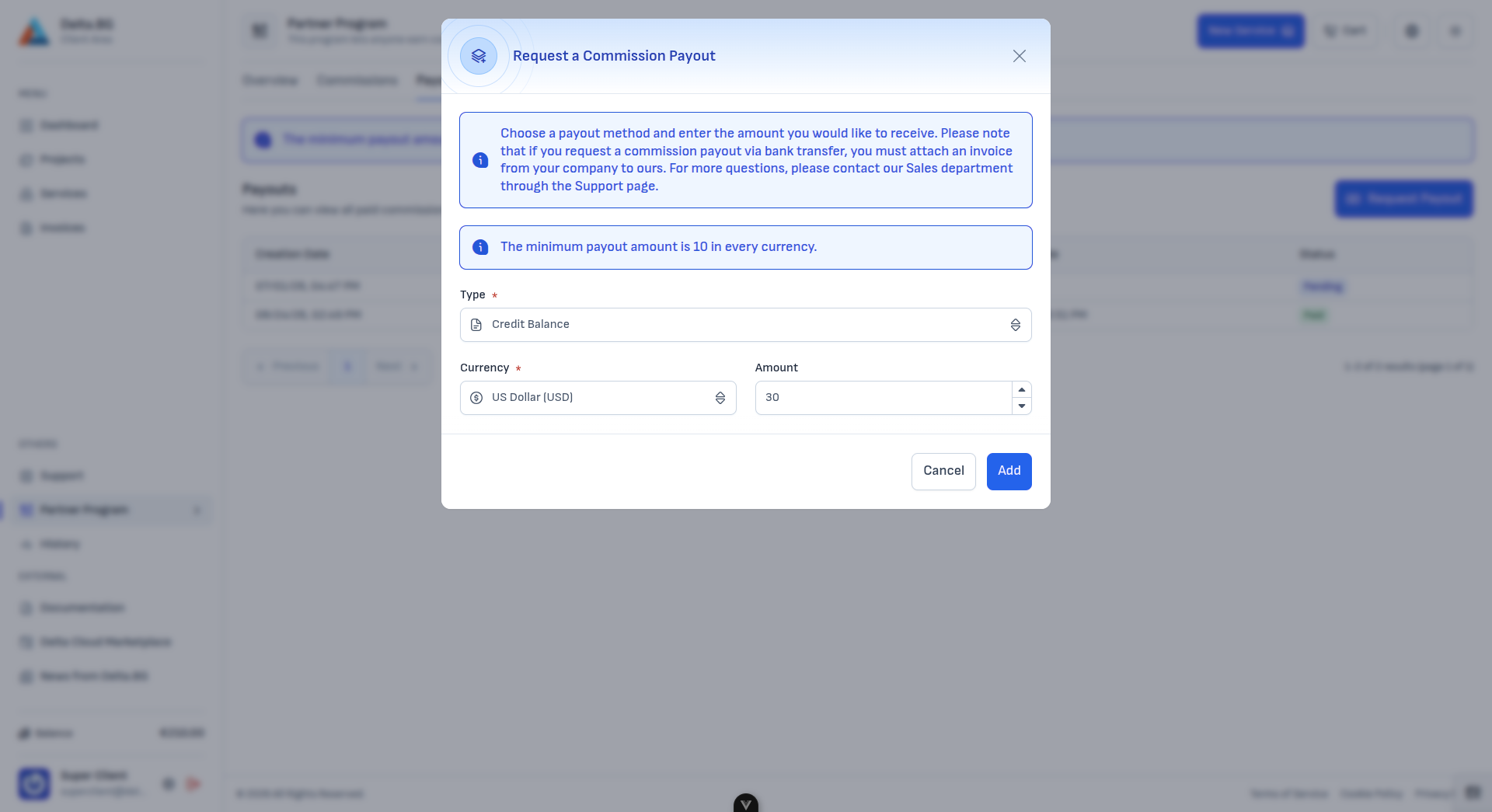
| Field | Description |
|---|---|
| Type | The payout method (for example Credit Balance). |
| Currency | The currency to be paid out (for example US Dollar (USD)). |
| Amount | How much to withdraw — at least 10 in the selected currency. |
Press "Add" to submit the request (or "Cancel" to discard it). The new request appears in the table with status Pending until it is processed and marked Paid.
Info
If you request a payout via bank transfer, you must attach an invoice from your company to Delta.BG. For questions about payouts, contact the Sales department through the Support page.