Ticket List
Menu → Support shows every ticket on your account, regardless of project. The same table scoped to a single project is available under Project → Tickets.
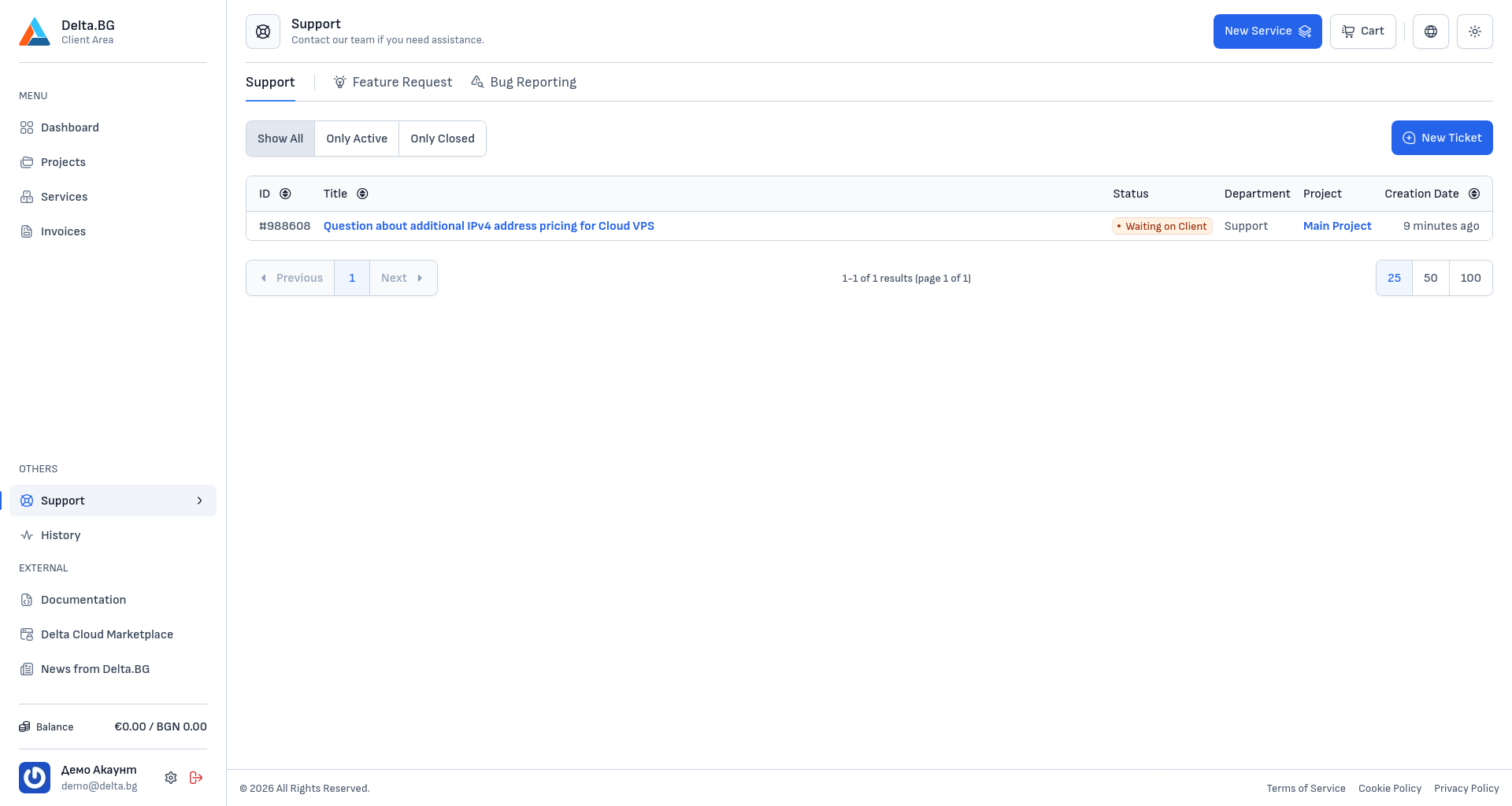
Type tabs
Three tabs sit at the top of the page:
| Tab | Ticket type |
|---|---|
| Support | List of all tickets submitted to us or to you, regardless of project. |
| Feature Request | Form for submitting ideas for new functionality on our client area. |
| Bug Reporting | Form for submitting information about a bug or incident related to our client area. |
Status filters
Three filters are available below the tabs:
| Filter | Shows |
|---|---|
| Show All | Every ticket, regardless of status. |
| Only Active | Tickets in Open, In Progress, Waiting on Client, Client Replied, Waiting on Third Party, and Waiting on Escalation. |
| Only Closed | Tickets in Resolved and Closed. |
See the full list and meaning of every status in the Introduction.
New ticket
The "New Ticket" button in the top-right corner opens the creation form.
Empty state
When you have no tickets the page shows "You do not have any ticket requests created yet.". Use the "New Ticket" button or head to the creation page directly.
Info
If you frequently submit tickets for a single project, check Project Tickets — the list is pre-filtered to that project only.