Resize
The "Resize" section allows you to change your server's plan — scale CPU cores and RAM up or down, and increase disk space. Resizing is useful when the needs of your applications change and the current configuration is no longer sufficient or is oversized.
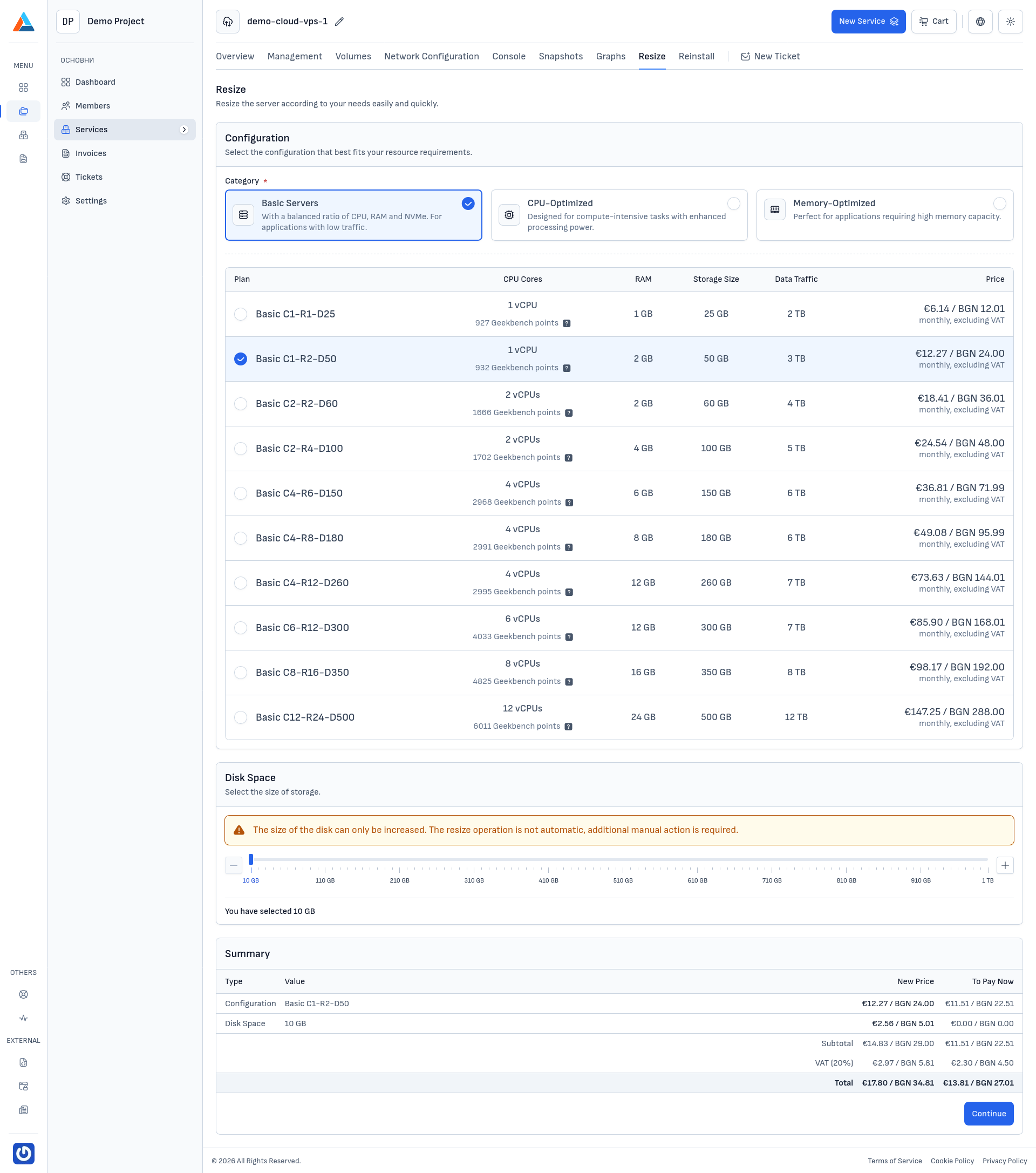
Configuration
In the "Configuration" section, you select the new plan for your server. Plans are organized into three categories:
- Basic Servers — balanced configurations with CPU, RAM, and disk space, suitable for most applications with low to moderate workloads
- CPU-Optimized — configurations with more CPU cores, suitable for compute-intensive tasks
- Memory-Optimized — configurations with more RAM, suitable for applications requiring large amounts of memory
The current plan is marked with a checkmark. The table shows for each plan: CPU cores, RAM, storage size, data traffic, and monthly price.
Disk Space
In the "Disk Space" section, you can increase the server's disk space using the slider.
Warning
The disk size can only be increased — decreasing is not possible. After resizing, you will need to manually extend the filesystem to use the additional space. For instructions, see Extending a Disk on Linux.
Resizing the Server
-
Navigate to the Section
Navigate to the "Resize" tab on the service page.
-
Select a New Plan
In the "Configuration" section, select the category and plan that fits your needs. If needed, increase the disk space using the slider.
-
Review the Summary
In the "Summary" section, review the changes and the new price. Click the "Continue" button to proceed.
-
Confirm
In the confirmation dialog, you will see:
- To Pay Now — the prorated amount for the remaining period of the current billing cycle
- Every Next Invoice — the new monthly price after resizing
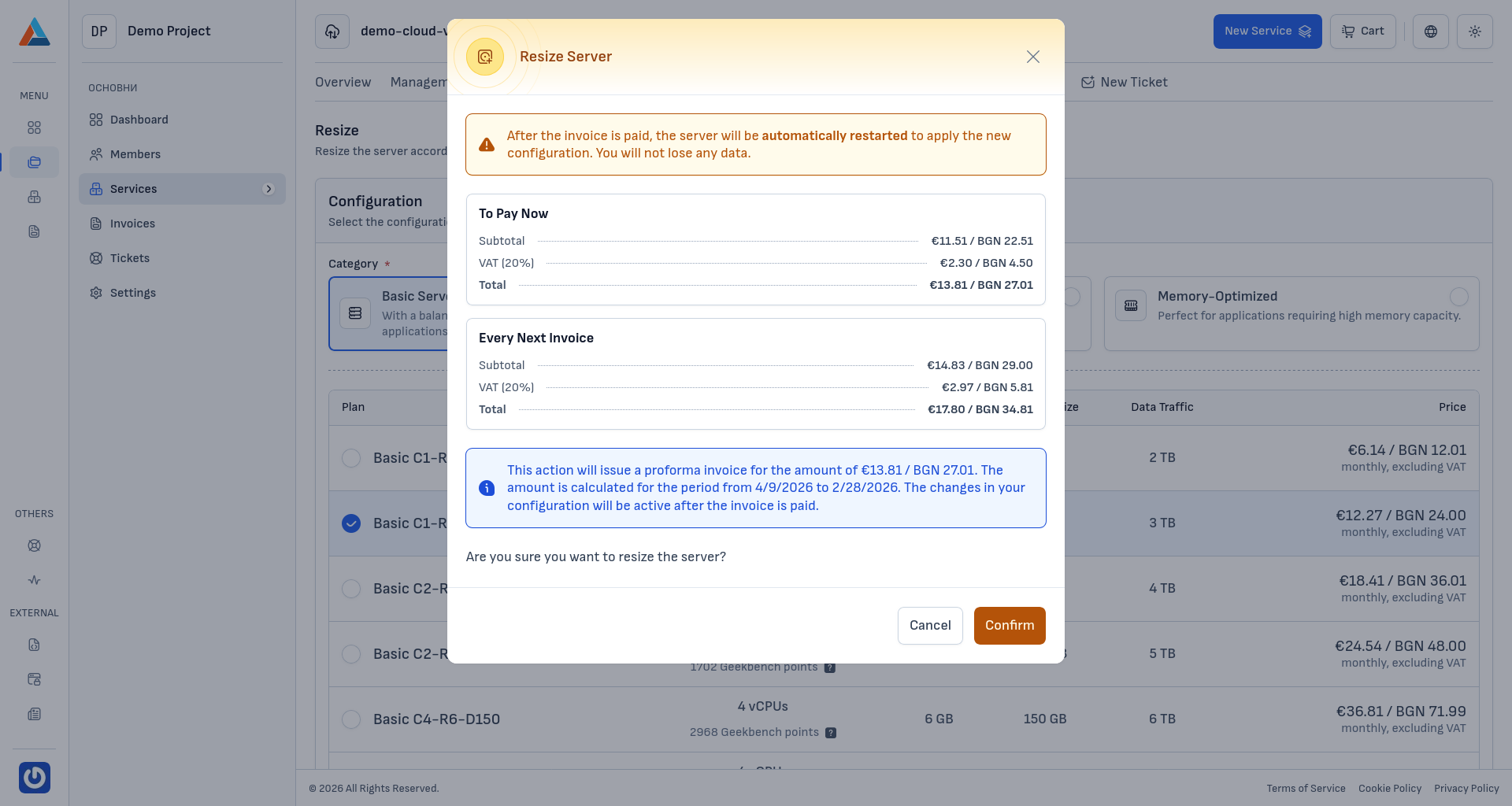
Click the "Confirm" button to generate a proforma invoice.
Note
The configuration change will be active after the generated proforma invoice is paid. After payment, the server will be automatically restarted to apply the new configuration. Your data will not be affected.