Updating Container Config
The container configuration code is a Base64 string that connects your Server-Side GTM service with your container in Google Tag Manager. This code is required for the GTM server to correctly identify and process data from your container.
Updating the Container Config
To update the container configuration code:
Open the service page
Navigate to your Server-Side GTM service page in the client area and make sure you're on the "Overview" tab.
Click the edit button
In the "Service Configuration" section, find the "Container Config" field and click the edit button.
Enter the new code
In the dialog that opens, enter the new container configuration code in Base64 format.
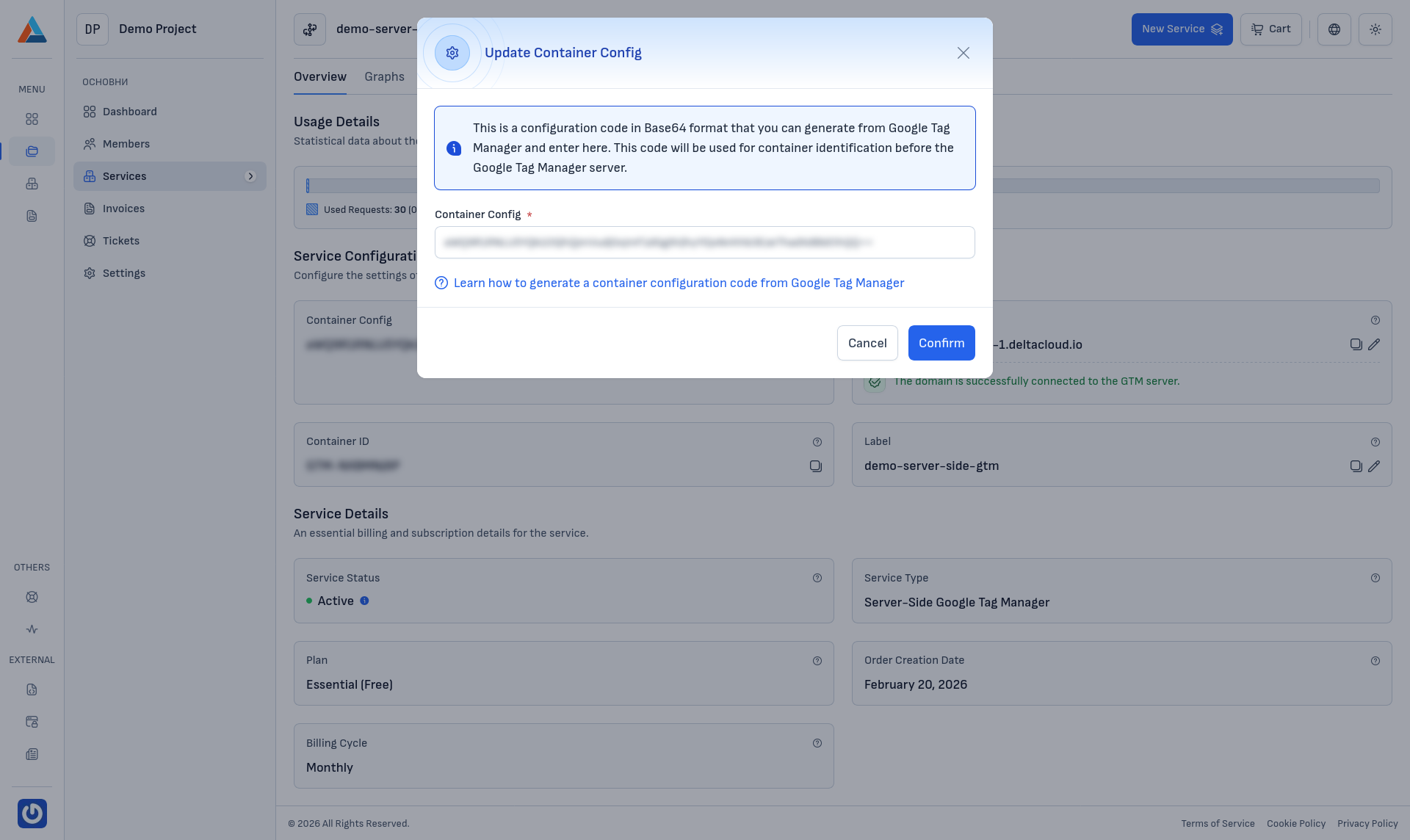
Confirm the change
Click the "Confirm" button to apply the new configuration code. The server will automatically connect to the specified GTM container.
Tip
If you don't know where to find the container configuration code, see How to Find the GTM Container Configuration Code.