Proxmox
The Proxmox backup type follows the same overall flow as MySQL and MongoDB: after you choose Proxmox in the first wizard step, you connect to your Proxmox host, then select which items to backup.
SSH connection to the Proxmox host
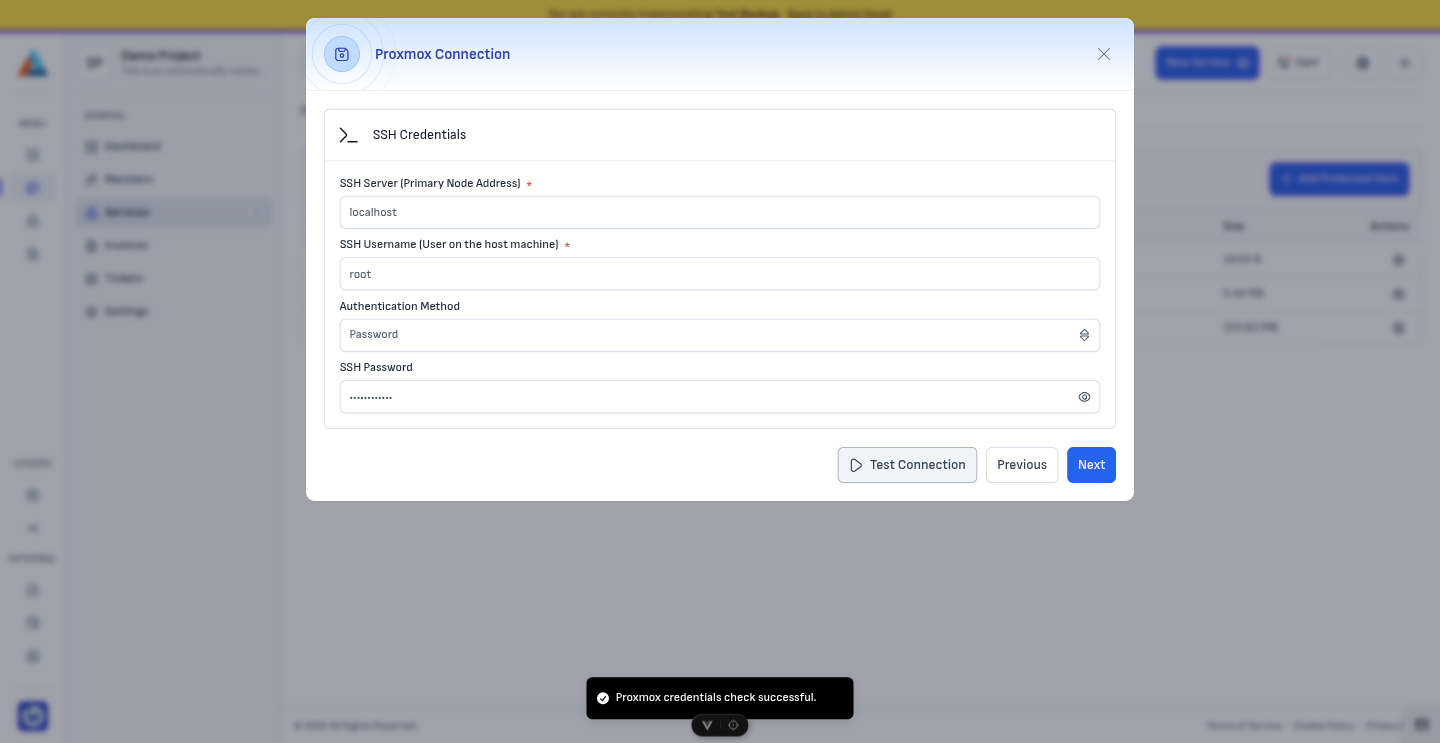
Enter SSH connection details for the Linux system running your Proxmox VE host (hostname or IP, port if non-default, and the Linux user the agent should use).
You can authenticate in either of these ways:
- Password — the Linux user's SSH password
- Private SSH key — paste or provide the private key that matches a public key authorized for that user on the host
Run the connection test from the wizard. When it succeeds, continue to the next step.
Choose virtual machines and LXC containers
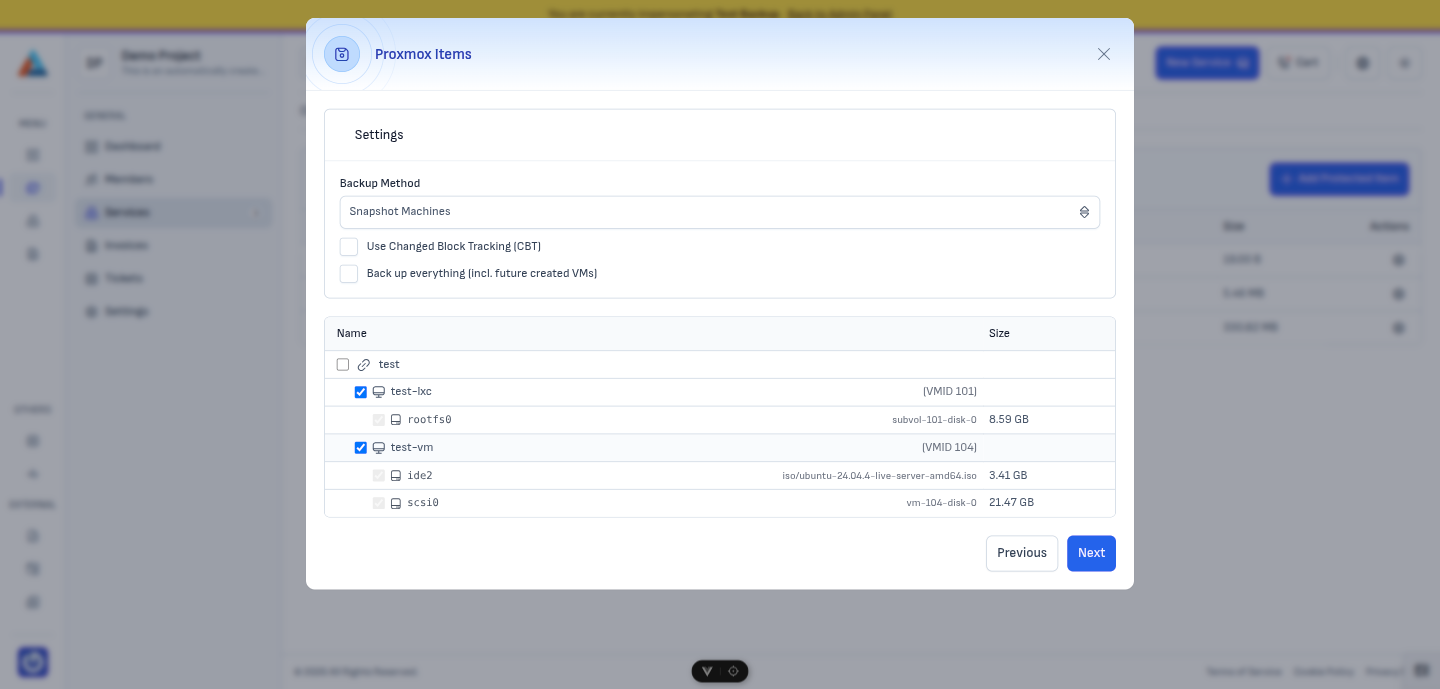
Select the virtual machines and LXC containers you want to include in this protected item. Only the items you select are backed up.
Backup method
In this step, the Backup method field defines how the job handles each selected item during backup. The available values are:
-
Default (Snapshot) — Take a temporary snapshot of the item. The item keeps running where this mode is supported. This is usually the fastest and least disruptive option, but the item must be on storage that supports snapshots.
-
Stop — Stop the item for the duration of the backup job, then start it again when the job finishes. Disruptive, but can be used when the item is on storage that does not support snapshots.
-
Suspended — Suspend the item during the backup job, then resume it when the job finishes. Also disruptive; useful when snapshots are not available on the underlying storage.
Changed Block Tracking (CBT)
You can enable Changed Block Tracking where the product supports it for your configuration.
- Full backup (no CBT) — every backup includes all data on the disk.
- With CBT — only disk blocks that changed since the last backup are transferred, which can reduce backup time and data volume after an initial full baseline.
Next step
When configuration is complete, click "Next" to continue to Execution Commands. Schedule, retention, and the rest of the wizard behave like other backup types.
To recover data from a snapshot after backups succeed, see Restoring Proxmox.