Account registration
The sign-up page is at https://my.delta.bg/auth/sign-up.
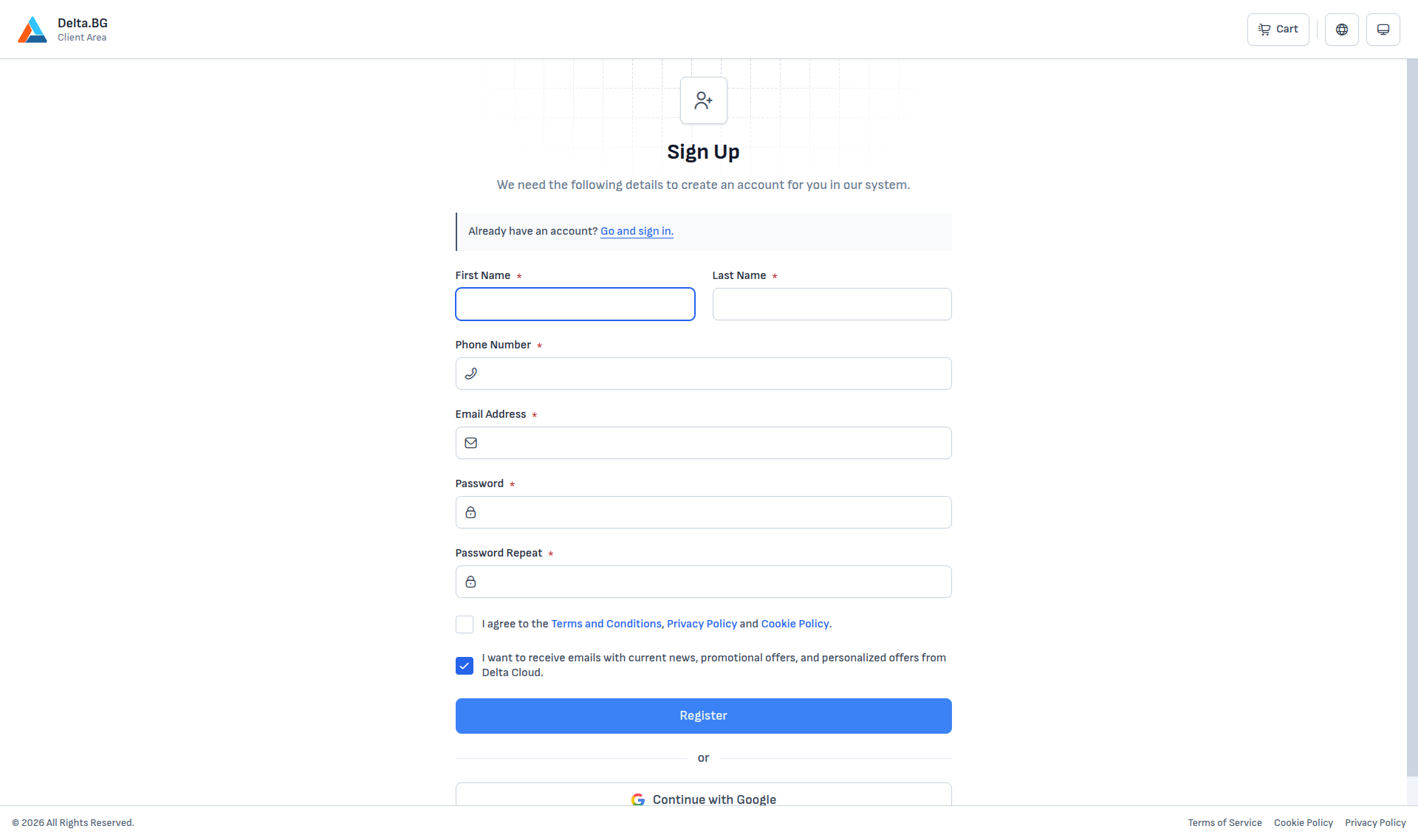
Fields
| Field | Description |
|---|---|
| First Name and Last Name | Used in the interface and in individual billing records. |
| Phone Number | In international format, starting with a country code (for example +359...). |
| Email Address | A working address — the verification code and all system notifications are sent there. |
| Password / Password Repeat | See the requirements below. |
| Terms, Privacy Policy and Cookie Policy consent | Required to enable the Register button. |
| Marketing-emails consent | Optional — can be unchecked. |
Password requirements
Your password must:
- contain upper and lower-case letters;
- contain at least one digit;
- contain at least one special character (for example
!@#$%...); - not appear in known data leaks — the server checks the new password against a database of compromised passwords and rejects matches.
The two password fields must match.
Confirming the email address
After pressing Register the system sends a 6-digit code to the address you registered with and redirects you to a verification screen:
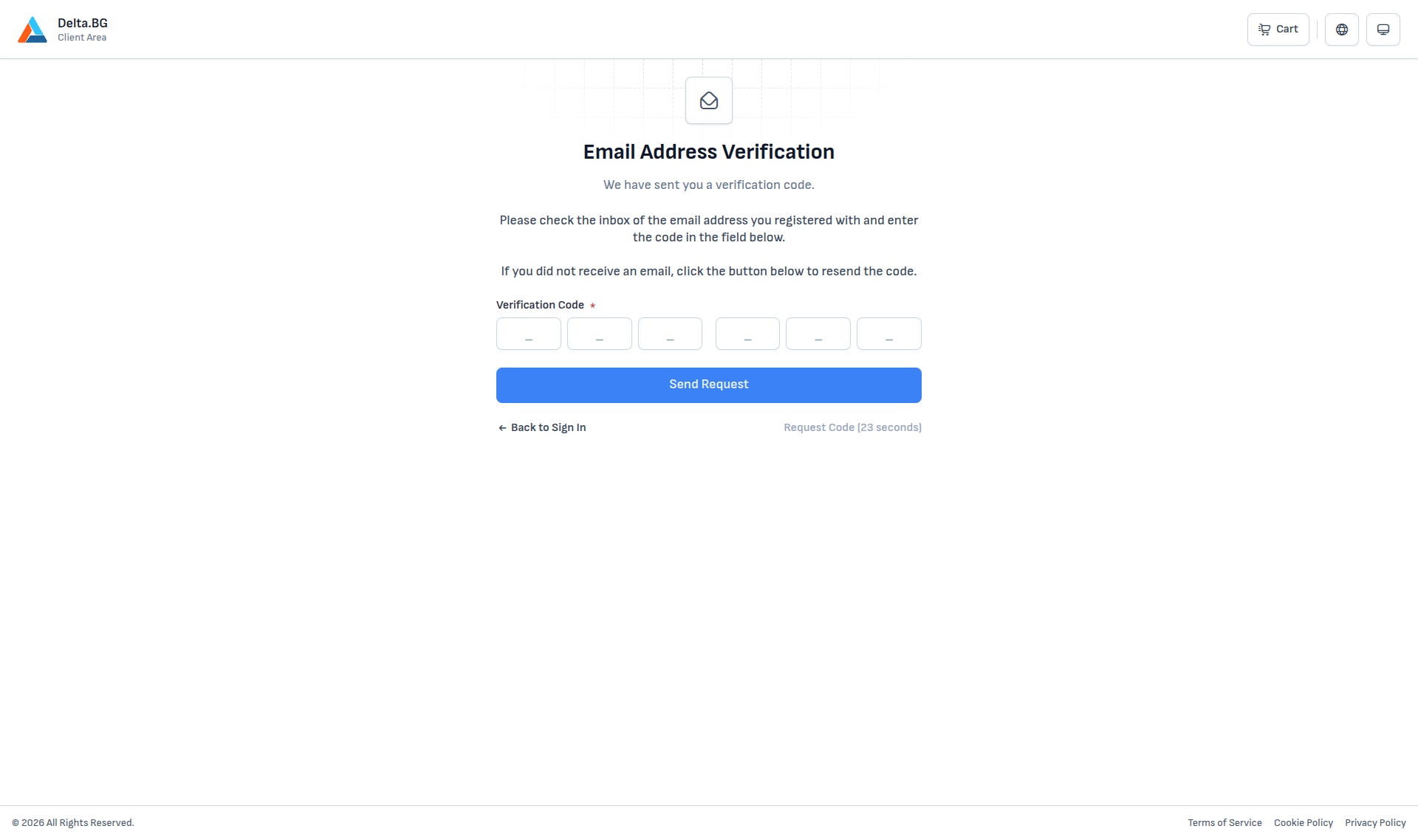
Enter the code from the email. If it does not arrive within a minute or two, use Request Code (unlocks after 60 seconds) to resend.
On a valid code a brief "Done!" message appears and the system redirects you to the sign-in page, from where you can sign in with your new password.
Info
The same code-entry step is also covered in Account confirmation, with additional guidance for cases where the code does not arrive or has expired.
Registering with Google
The Continue with Google button creates a customer-area account from your Google profile without asking for a password. After a successful sign-in, the email address on the Google account is used for contact.