Power Control
In the "Power Control" section under "Management", you can manage your server's power state. The available actions depend on the server's current status.
Warning
Power control on a Bare Metal server works at the hardware level — similar to pressing the physical buttons on the server. Use these actions carefully, especially when active services are running on the server.
Powering Off the Server
When the server is running, you can power it off by following these steps:
-
Navigate to the Section
Go to the "Management" section on the service page.
-
Click the Power Off Button
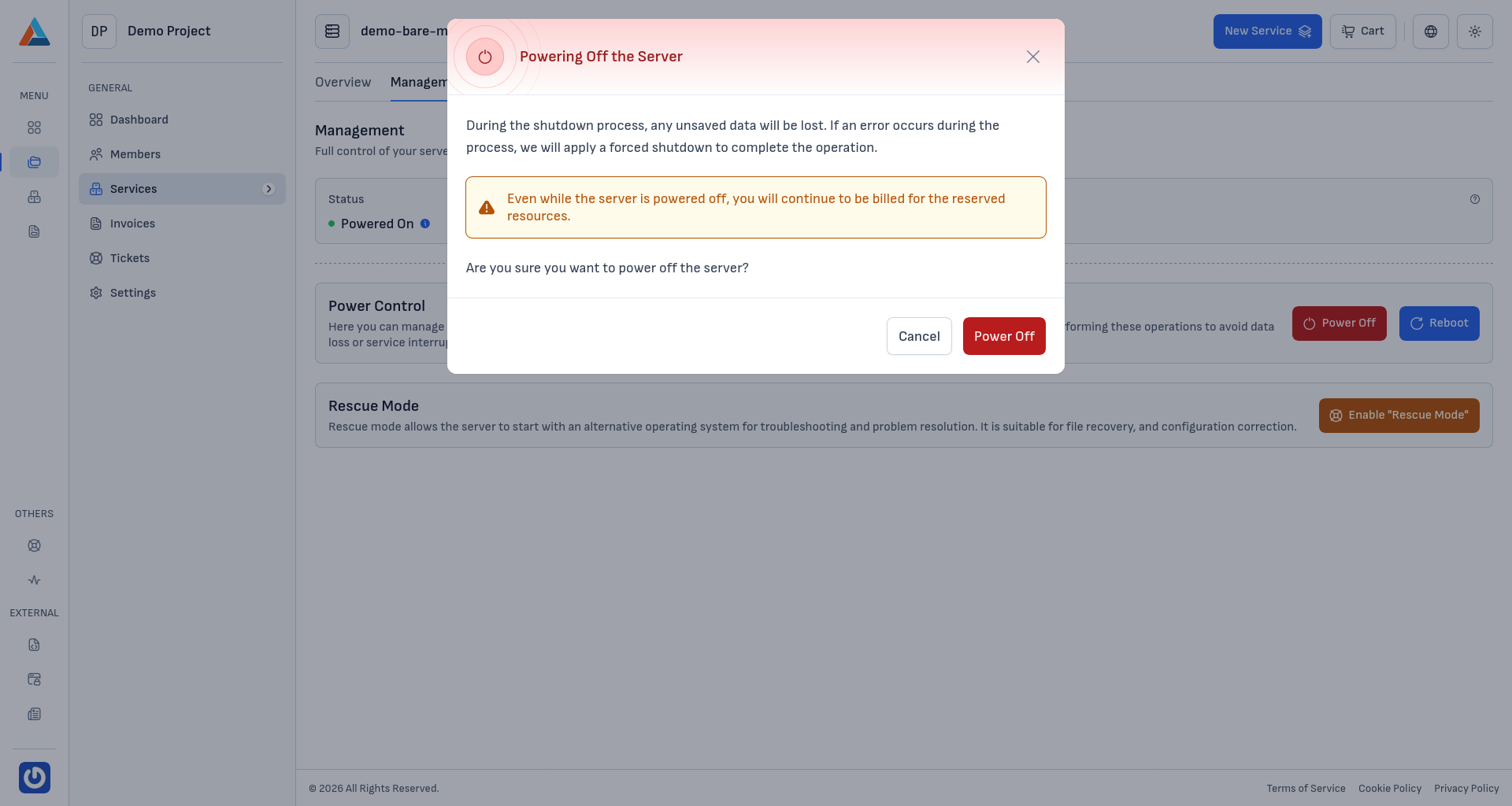
In the "Power Control" section, click the "Power Off" button to open the confirmation dialog.
-
Confirm
Click the "Power Off" button to confirm the action.
Warning
Any unsaved data will be lost during the shutdown process. Even when the server is powered off, you'll continue to be billed for the reserved resources, since the hardware remains dedicated to you.
Force Rebooting the Server
If the server is unresponsive to normal commands or the operating system has frozen, you can perform a force reboot:
-
Navigate to the Section
Go to the "Management" section on the service page.
-
Click the Reboot Button
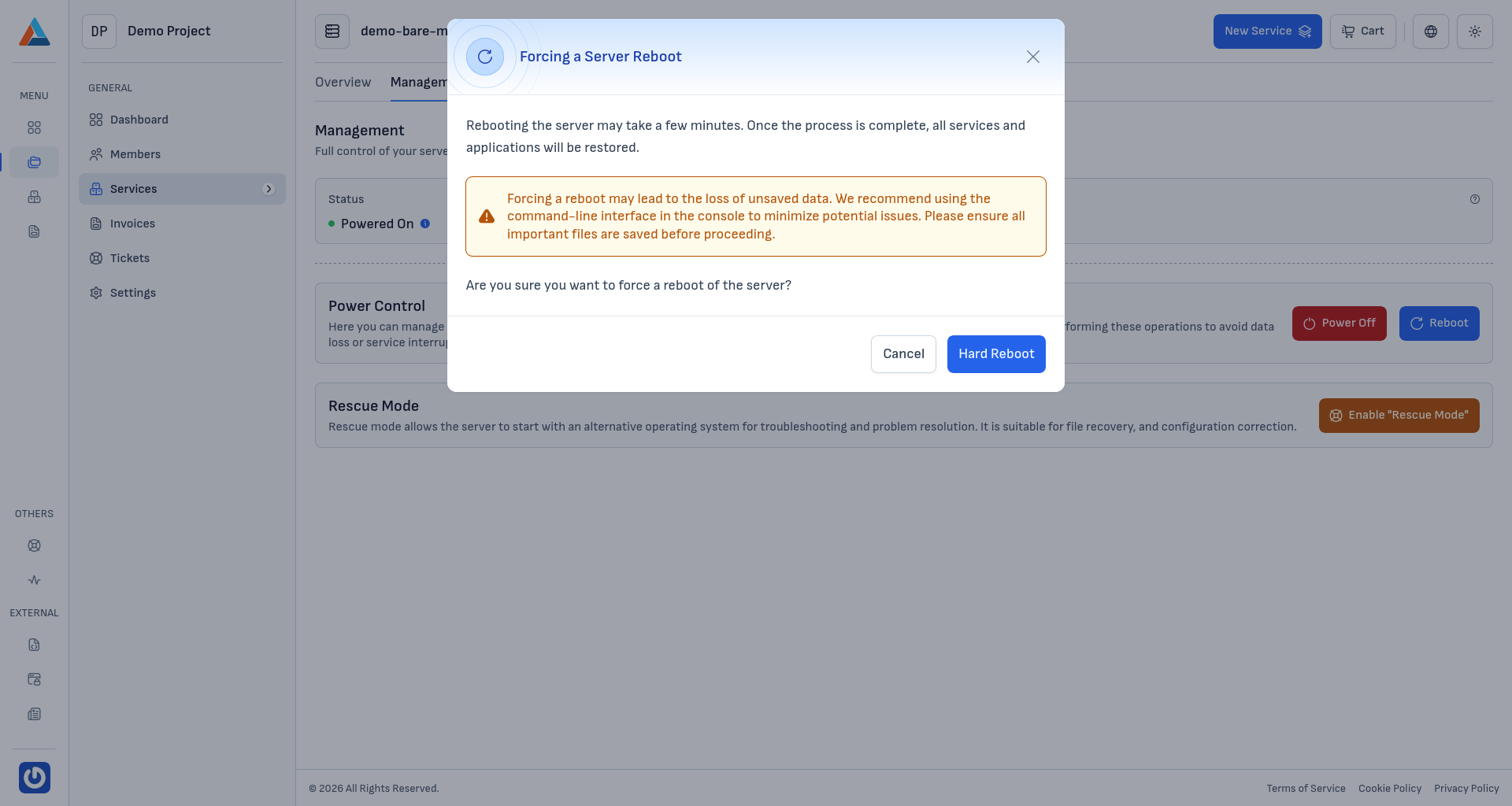
In the "Power Control" section, click the "Reboot" button to open the confirmation dialog.
-
Confirm
Click the "Hard Reboot" button to confirm the action.
Warning
A force reboot may result in the loss of unsaved data and file system corruption. We recommend first attempting a normal reboot from the server's command line (e.g.,
rebooton Linux). Only use the force reboot when the server is unresponsive.Tip
Before force-rebooting production systems, ensure that important files are saved and databases are in a consistent state. To diagnose issues, instead of a force reboot you can use rescue mode.