Management
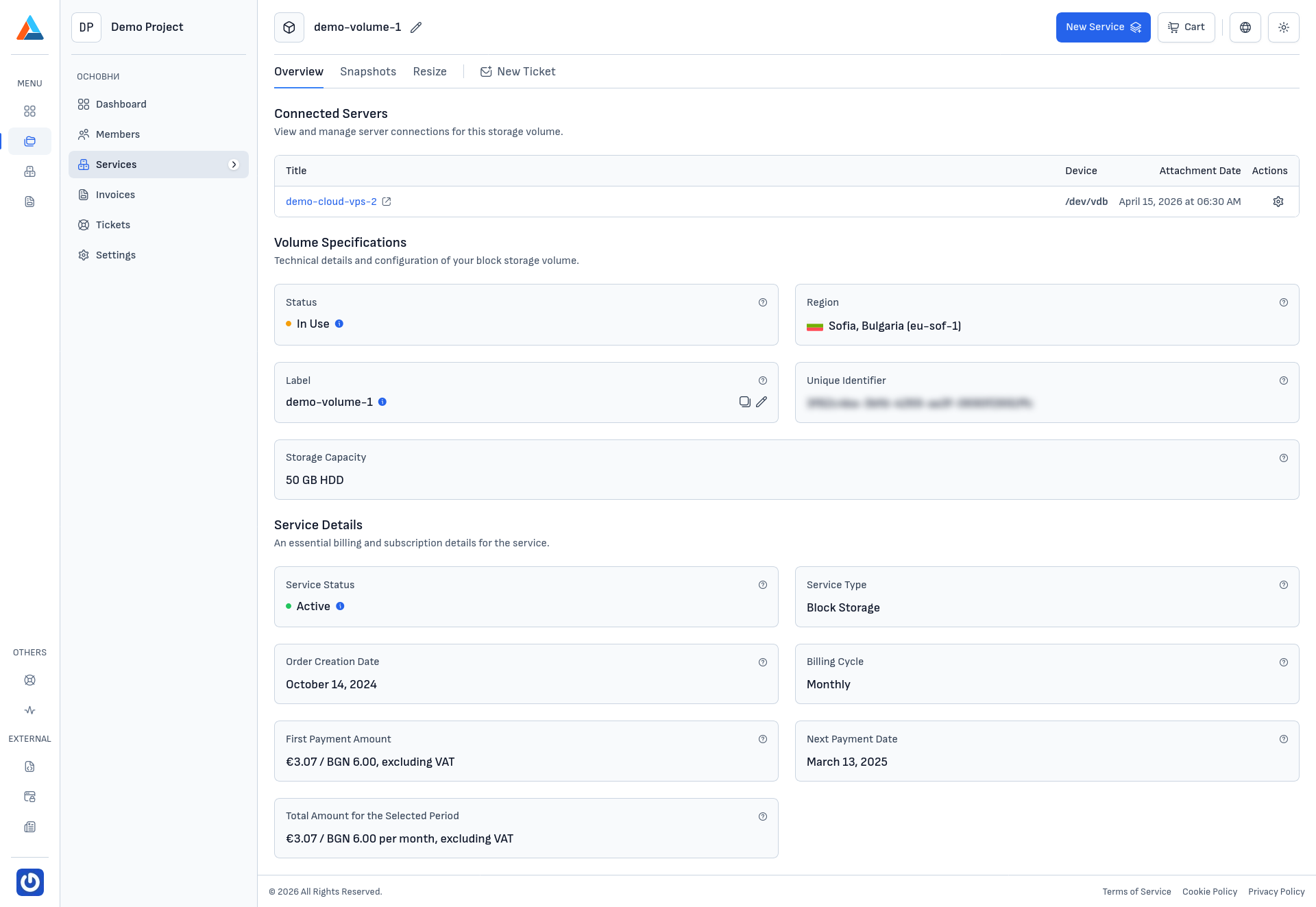
The Block Storage service page in the client area provides a comprehensive overview of your volume and its current state. The page is organized into several tabs: Overview, Snapshots, Resize, and New Ticket.
Connected Servers
The "Connected Servers" section displays a list of Cloud VPS servers that are currently attached to the volume. For each connected server, the following information is shown:
- Title — the name of the Cloud VPS server
- Service Name — the internal service identifier
- Attachment Date — the date and time when the volume was attached to the server
- Actions — available actions for the connection
Note
A volume can be attached to one Cloud VPS server at a time. To attach the volume to a different server, you must first detach it from the current one. You can manage volume attachments from the Cloud VPS server's Volumes section.
Volume Specifications
The "Volume Specifications" section provides technical details about the volume:
- Status — the current state of the volume (e.g., In Use, Available)
- Region — the data center region where the volume is located (e.g., Sofia, Bulgaria
eu-sof-1) - Label — the user-assigned label for the volume
- Unique Identifier — the UUID of the volume in the cloud platform
- Storage Capacity — the size and disk type of the volume (e.g., 50 GB HDD)
Service Details
The "Service Details" section contains administrative and billing information about the service:
- Service Status — the current state of the service (e.g., Active)
- Service Type — the type of service (Block Storage)
- Order Creation Date — the date when the service was originally ordered
- Billing Cycle — the billing period for the service (Monthly or Annually)
- Pricing information — the recurring price for the service
Additional Tabs
Beyond the Overview tab, the service page offers the following tabs:
- Snapshots — create, view, revert, and delete volume snapshots
- Resize — request a change to the volume's storage capacity
- New Ticket — create a support ticket related to this service