Schedule
The Schedule step defines when the backup job runs and where the backup data is stored. You can configure the backup frequency, the exact start time, and various advanced settings that control how the backup behaves.
This step is shared across all backup types.
Configuring the Schedule
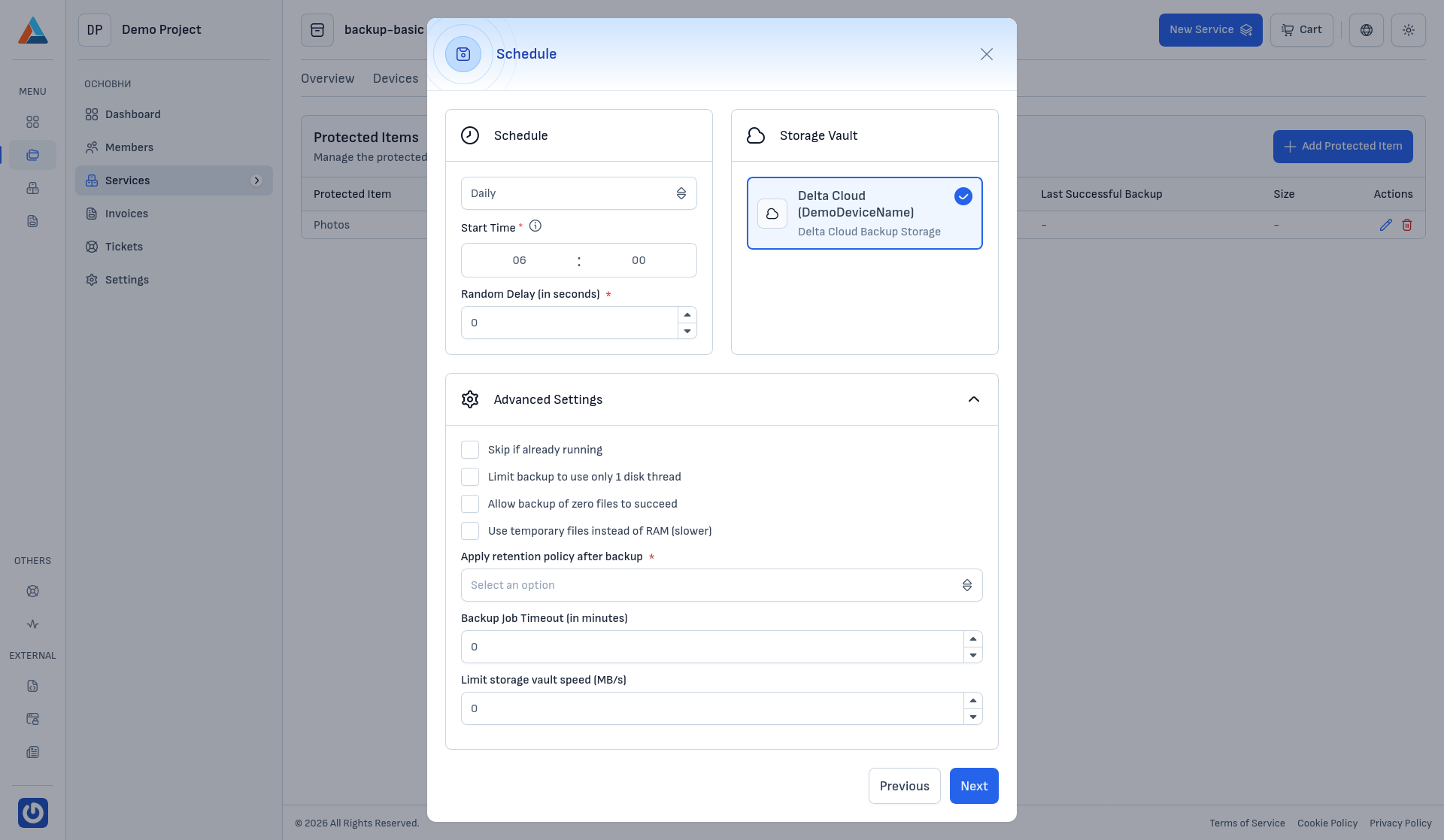
Frequency
Choose how often the backup job should run:
- Daily — the backup job will start every day at the specified time.
- Weekly — the backup job will start on the specified day of the week at the specified time. An additional Weekday selector will appear.
- Monthly — the backup job will start on the specified day of the month at the specified time. An additional Date of Month selector will appear.
Start Time
Set the hour and minute when the backup job should start.
Random Delay (in seconds)
Add a random delay before the backup starts. This is useful when multiple devices are configured to back up at the same time, helping to distribute the load on the storage vault.
Storage Vault
Select the Storage Vault where the backup data will be stored. The available vaults are determined by your service plan. The selected vault will be used for both storing the backup data and applying the retention policy.
Advanced Settings
The advanced settings provide fine-grained control over the backup job behavior:
- Skip if already running — prevents a new backup job from starting if a previous one is still in progress.
- Limit backup to use only 1 disk thread — reduces disk I/O by limiting the backup to a single thread. This is useful on servers where disk performance is critical.
- Allow backup of zero files to succeed — treats a backup with no matching files as successful instead of failed.
- Use temporary files instead of RAM (slower) — reduces memory usage by writing temporary data to disk. This is slower but useful on devices with limited RAM.
- Apply retention policy after backup — controls when the retention policy is applied after a backup completes. The available options are:
- Automatic — a balanced choice that runs a retention pass only when there is a noticeable benefit.
- Run immediately — applies retention immediately after each backup.
- Run More Often — applies retention more frequently.
- Run Less Often — applies retention less frequently to save resources.
- Backup Job Timeout (in minutes) — sets a maximum duration for the backup job. If the job exceeds this time, it will be cancelled.
- Limit storage vault speed (MB/s) — limits the upload speed to the storage vault, helping to reduce bandwidth usage on the network.
After configuring the schedule, click "Next" to proceed to the Retention Policy step.