Jobs
The "Jobs" section lists all backup and restore operations performed by your backup service. Jobs can be either scheduled (triggered automatically by a backup schedule) or run on demand from the Devices page.
Jobs Page
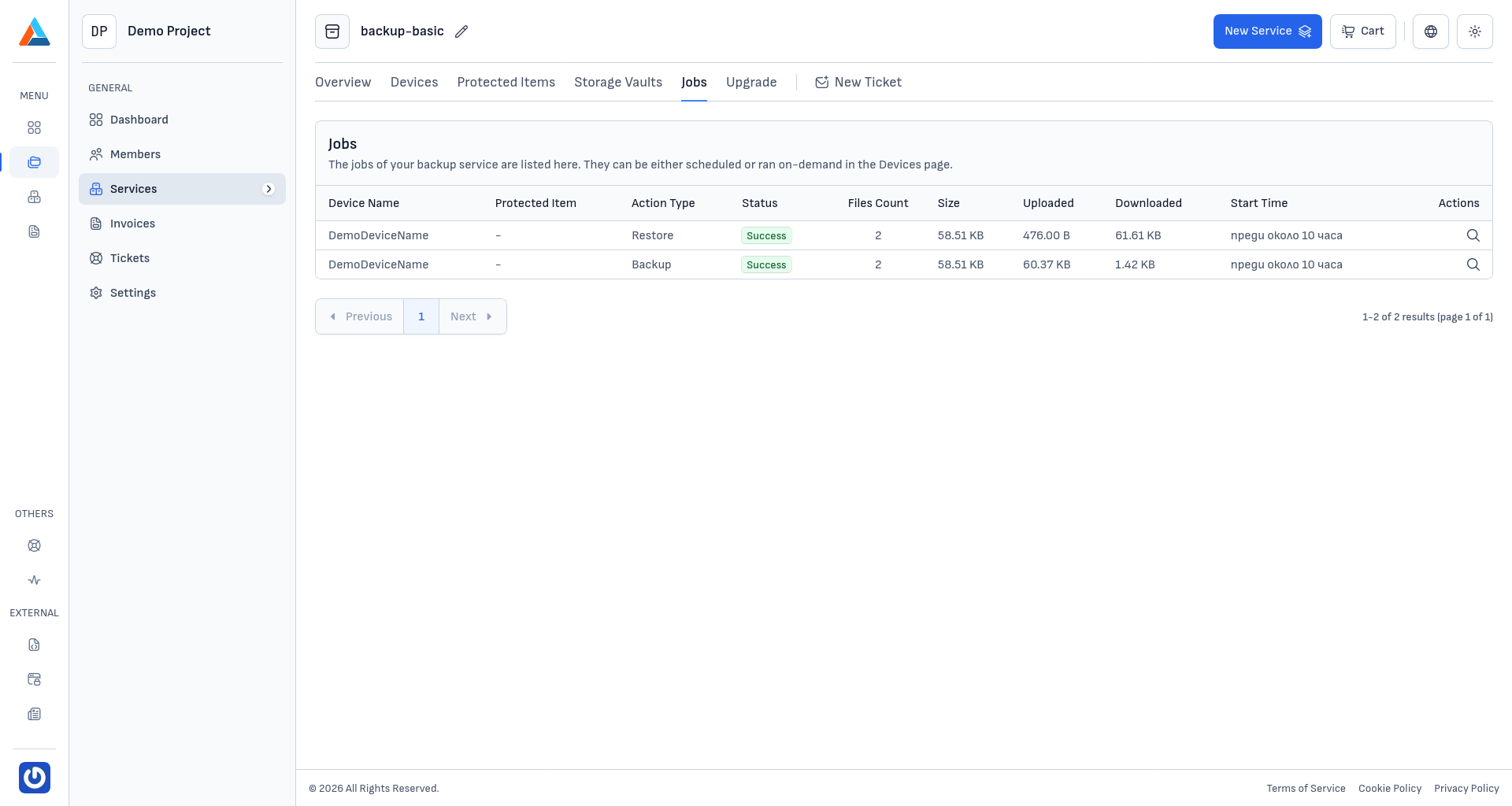
The table shows the following information for each job:
- Device Name — the device on which the job was executed
- Protected Item — the protected item associated with the job
- Action Type — the type of operation (e.g., Backup, Restore)
- Status — the result of the job (Success, Failed, Running, Warning, or Cancelled)
- File Count — the number of files processed during the job
- Size — the total size of the processed data
- Uploaded — the amount of data uploaded to the storage vault
- Downloaded — the amount of data downloaded from the storage vault
- Start Time — when the job started
The list supports pagination for navigating through large job histories.
Job Details
To view detailed information about a specific job, click the view icon in the "Actions" column.
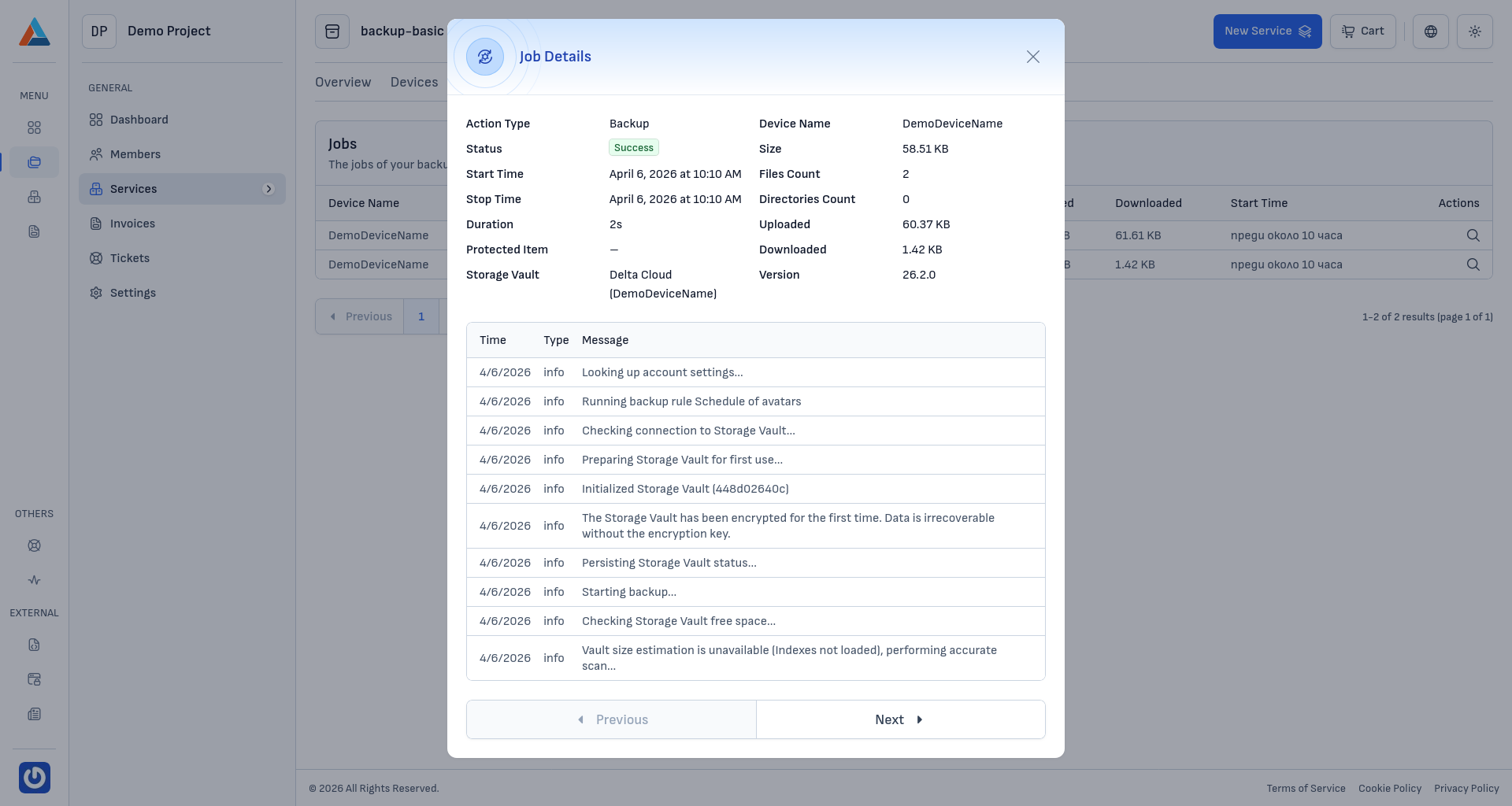
The details dialog displays:
- Summary — action type, status, device name, size, start and stop time, duration, file and directories count, uploaded and downloaded data, protected item, storage vault, and agent version.
- Log — a chronological list of log entries with Time, Type, and Message columns, showing the step-by-step progress of the job. Use the pagination controls at the bottom to navigate through longer logs.